


How to check if a number is on WhatsApp
On WhatsApp? checks whether a phone number is registered on WhatsApp and returns Yes or No. It runs as a column on your existing mobile numbers, at one credit per row.
- A listAny Kuration table with the rows you want to check.
- A phone columnA column of mobile numbers for the tool to read.
- CreditsOne credit is charged per row the tool runs on.
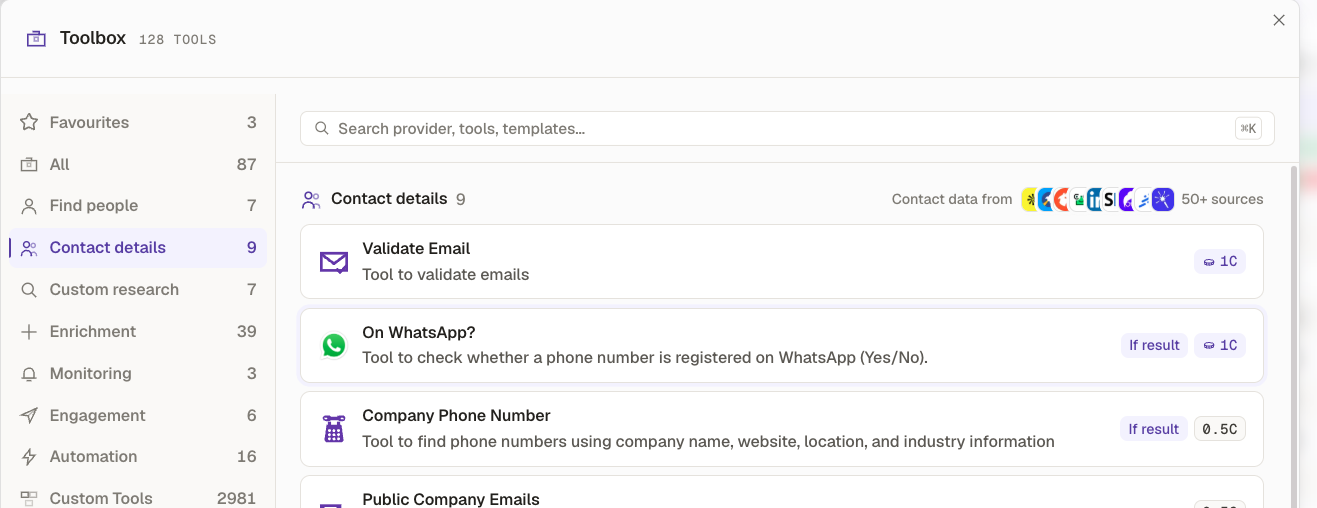
Open the Toolbox, go to Contact details
Select On WhatsApp? from the list. You can also type "whatsapp" into the search bar to jump straight to it.
Check the input column
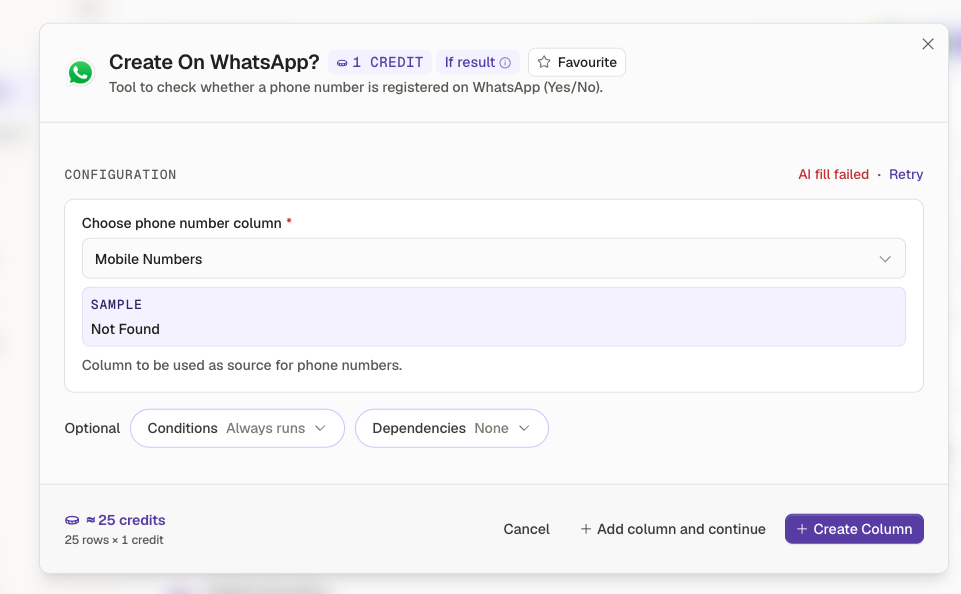
Under Choose phone number column, make sure the right column is selected, for example Mobile Numbers. The sample underneath shows what the tool will read.
Conditions and Dependencies are optional, for running on certain rows or after another column finishes.
Create the column and run it
Click Create Column. The estimate at the bottom left shows what the run will cost, one credit per row.
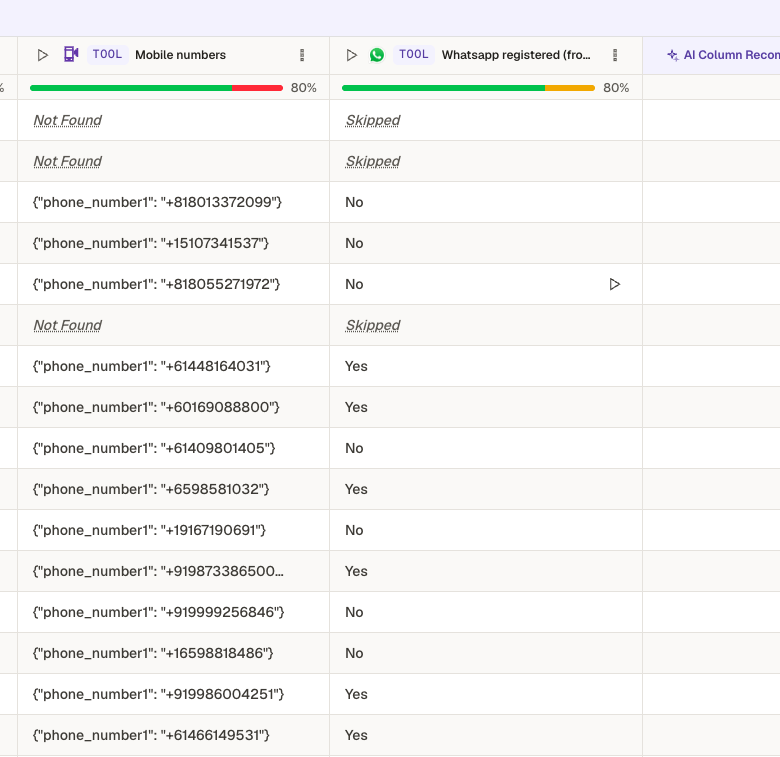
Numbers registered on WhatsApp show Yes, and numbers that aren't show No. Rows with no phone number to check are marked Skipped.
Your numbers are verified
Every row now shows whether its number is registered on WhatsApp, ready to filter or export.
Open KurationKept on this device