OVERVIEW
01 / 04
WORKFLOWS

Duplicate a workflow and reuse it

Built a project with the right tool columns and enrichment steps? Copy just the workflow, no data, then import a fresh list of companies to run through the exact same setup.

2 min read · Kuration Team · Updated Jul 2, 2026
Duplicate
Import leads
Enrich
WHY IT MATTERS

Build the workflow once, run it forever

A workflow is the set of tool columns and enrichment steps you set up on a project. Duplicating it without data gives you a clean template, so every new list of companies runs through the exact same process with zero rebuilding.

01

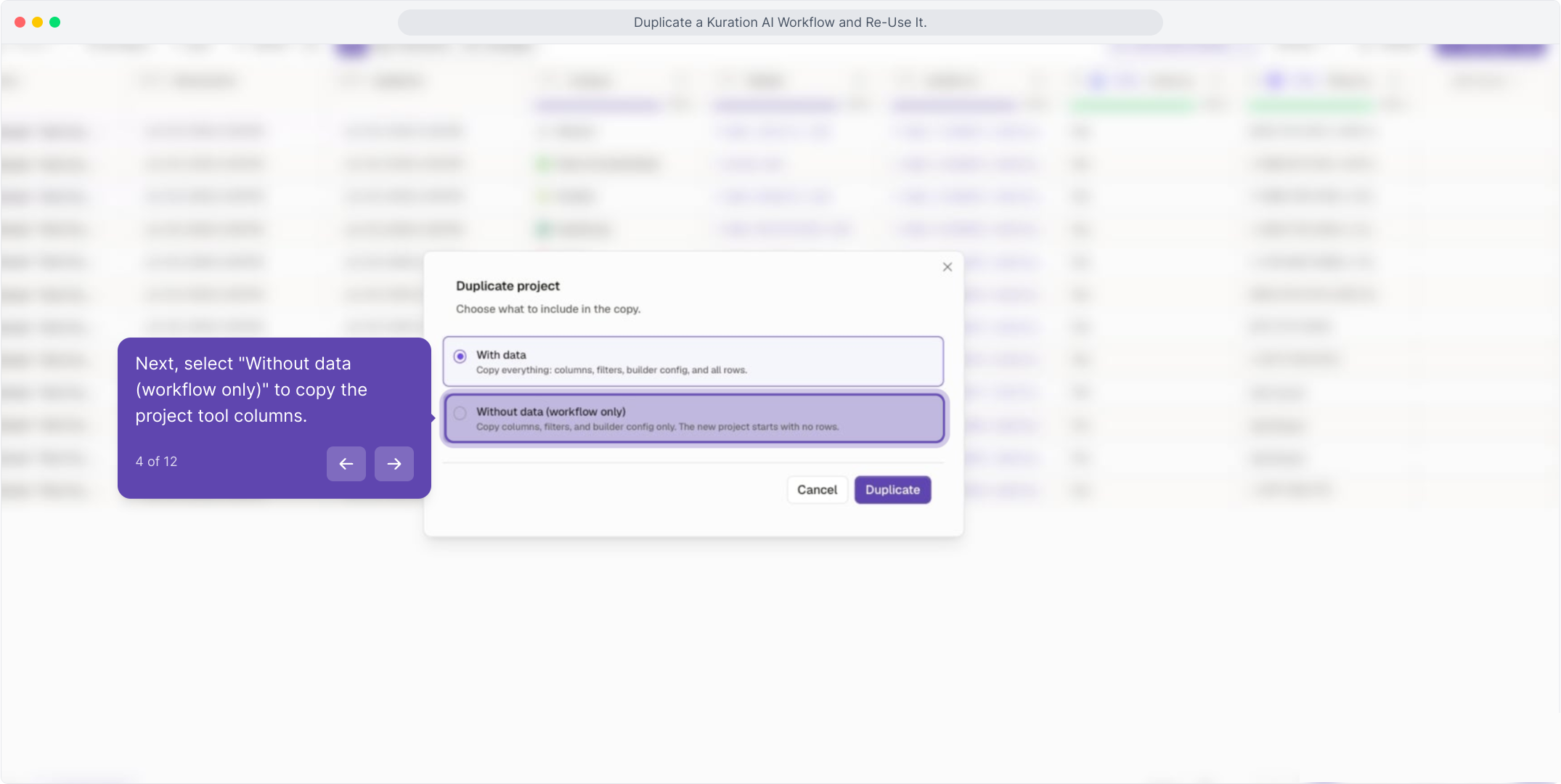
Copy the columns, not the rows. "Without data" keeps your tool setup and drops the old records.

02

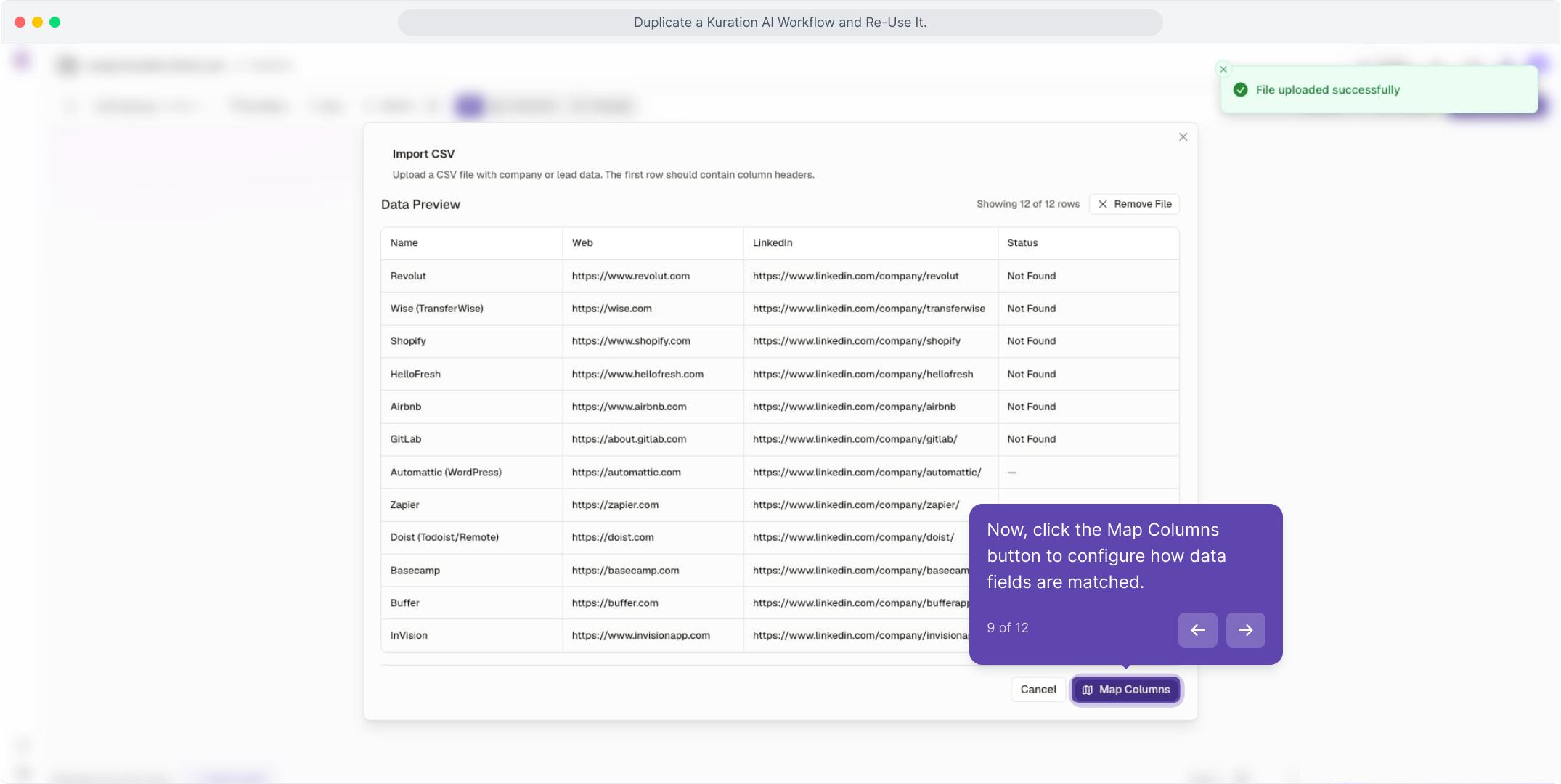
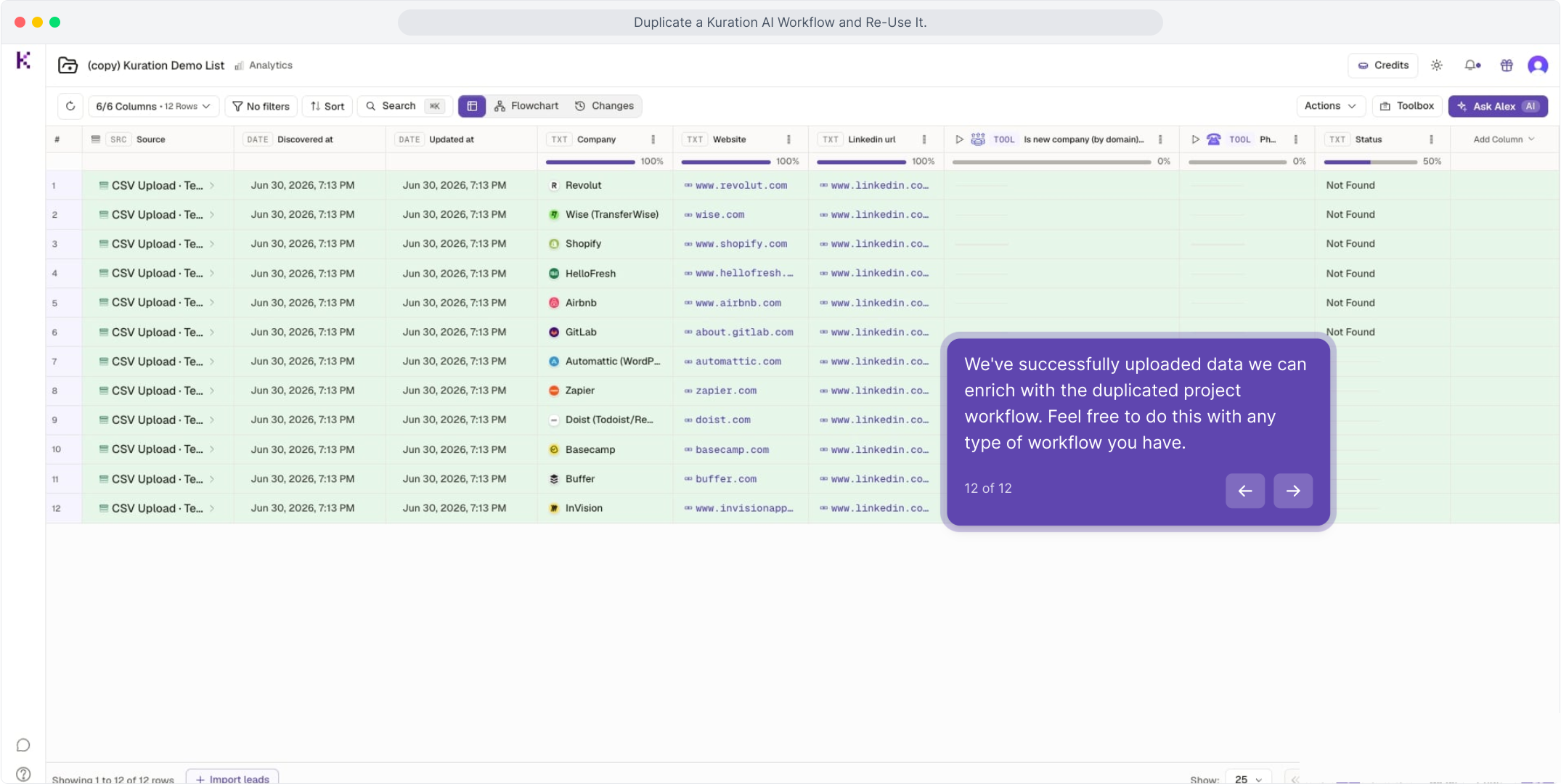
Bring in a fresh list. Import new companies by CSV or any other source.

03

Enrichment runs the same way every time, so results stay consistent across lists.

TIP

This works for any workflow you have. Treat your best project as a reusable template for every new batch.

HOW IT WORKS

From duplicate to enriched list

01

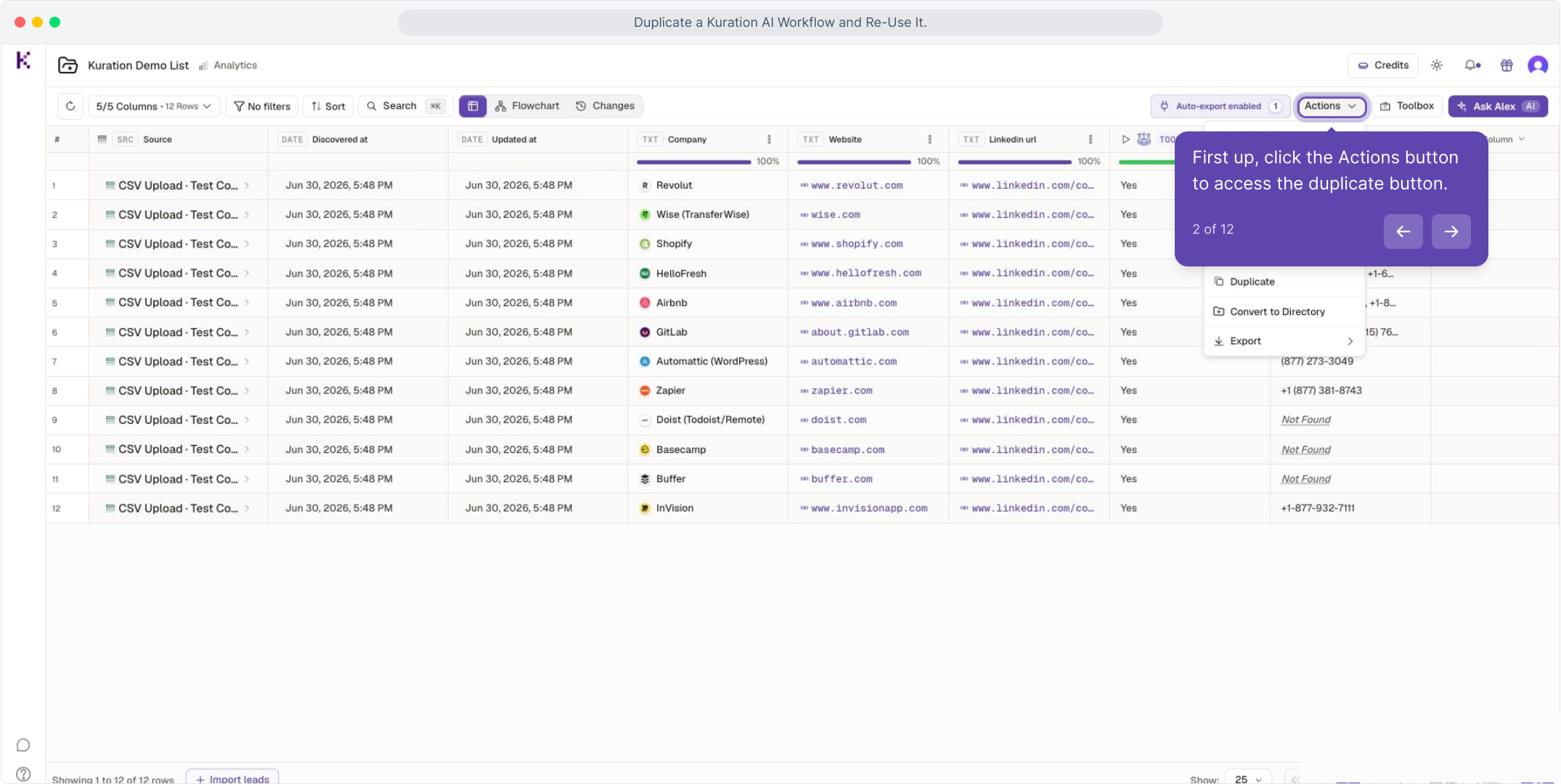
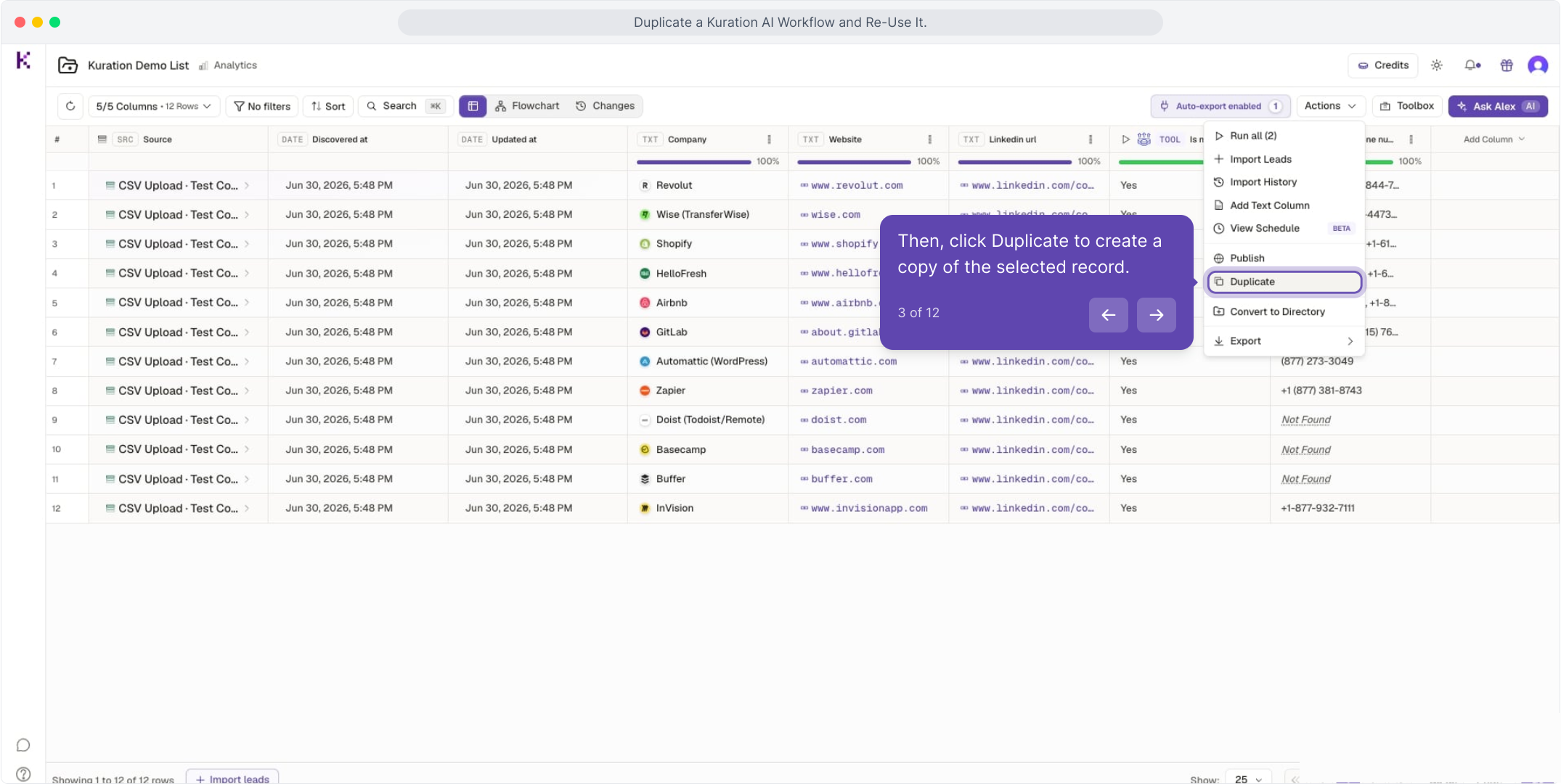
Open Actions ▸ Duplicate on the project you want to reuse.

02

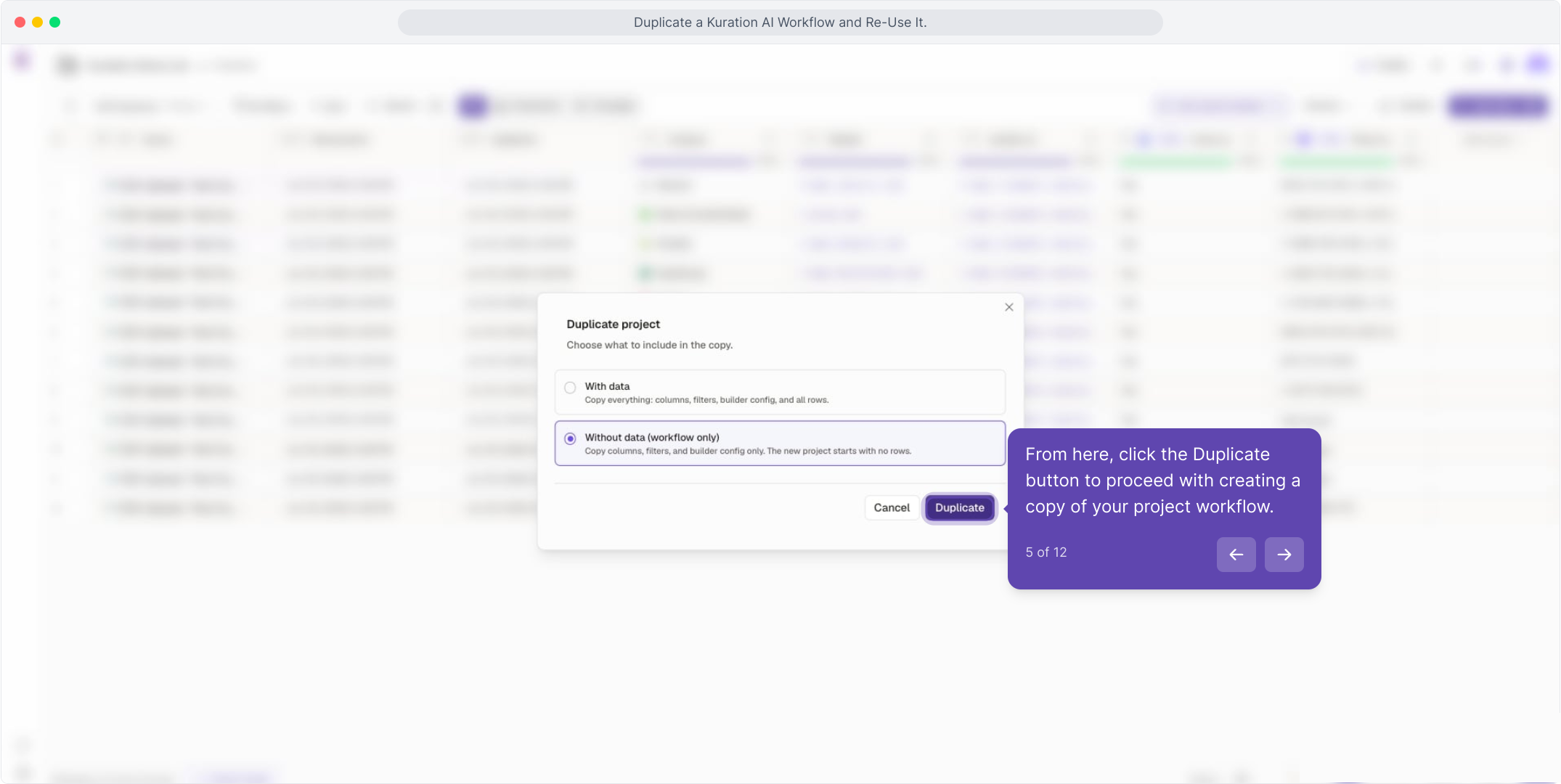
Choose Without data (workflow only) and confirm Duplicate.

03

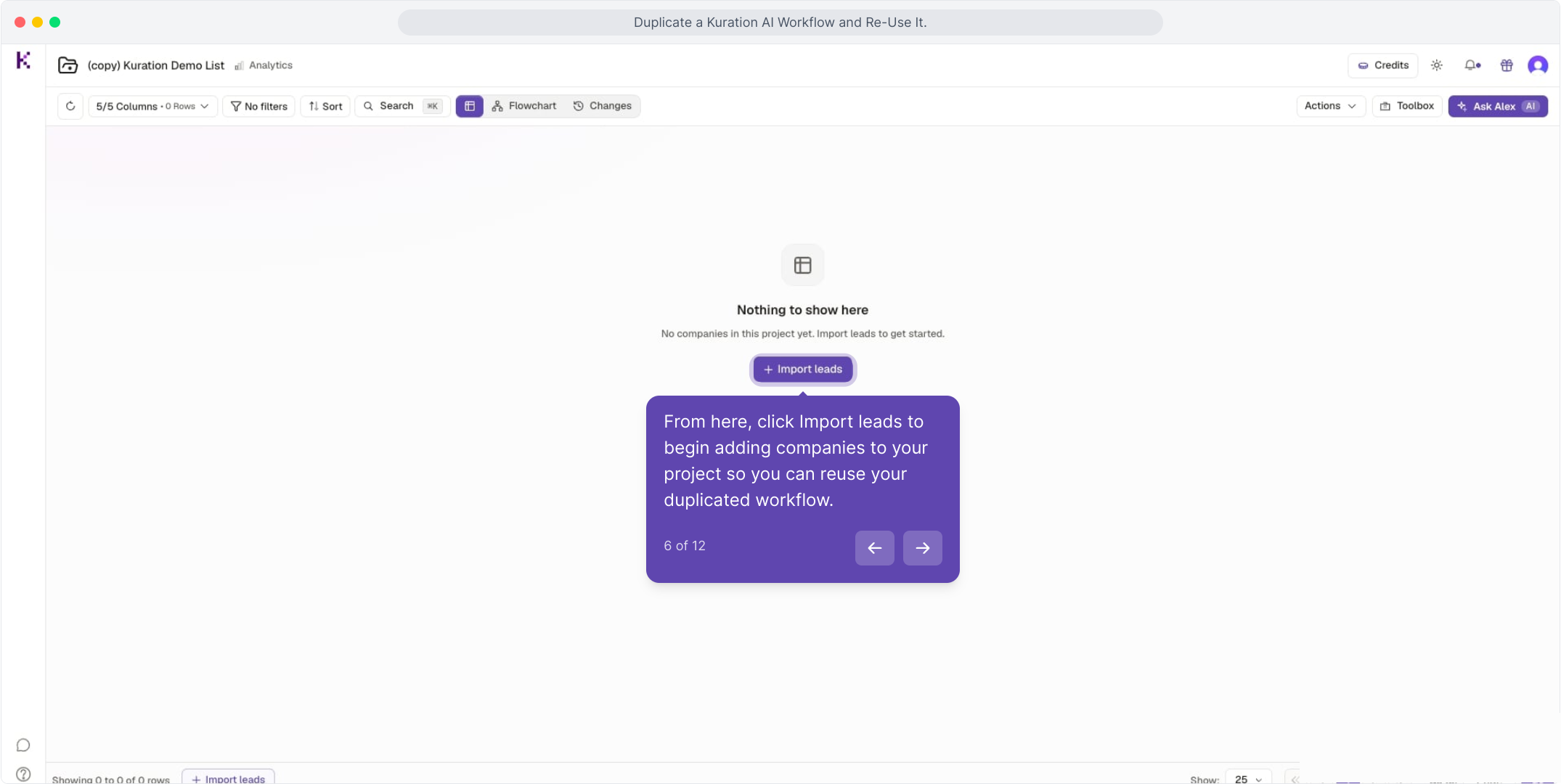
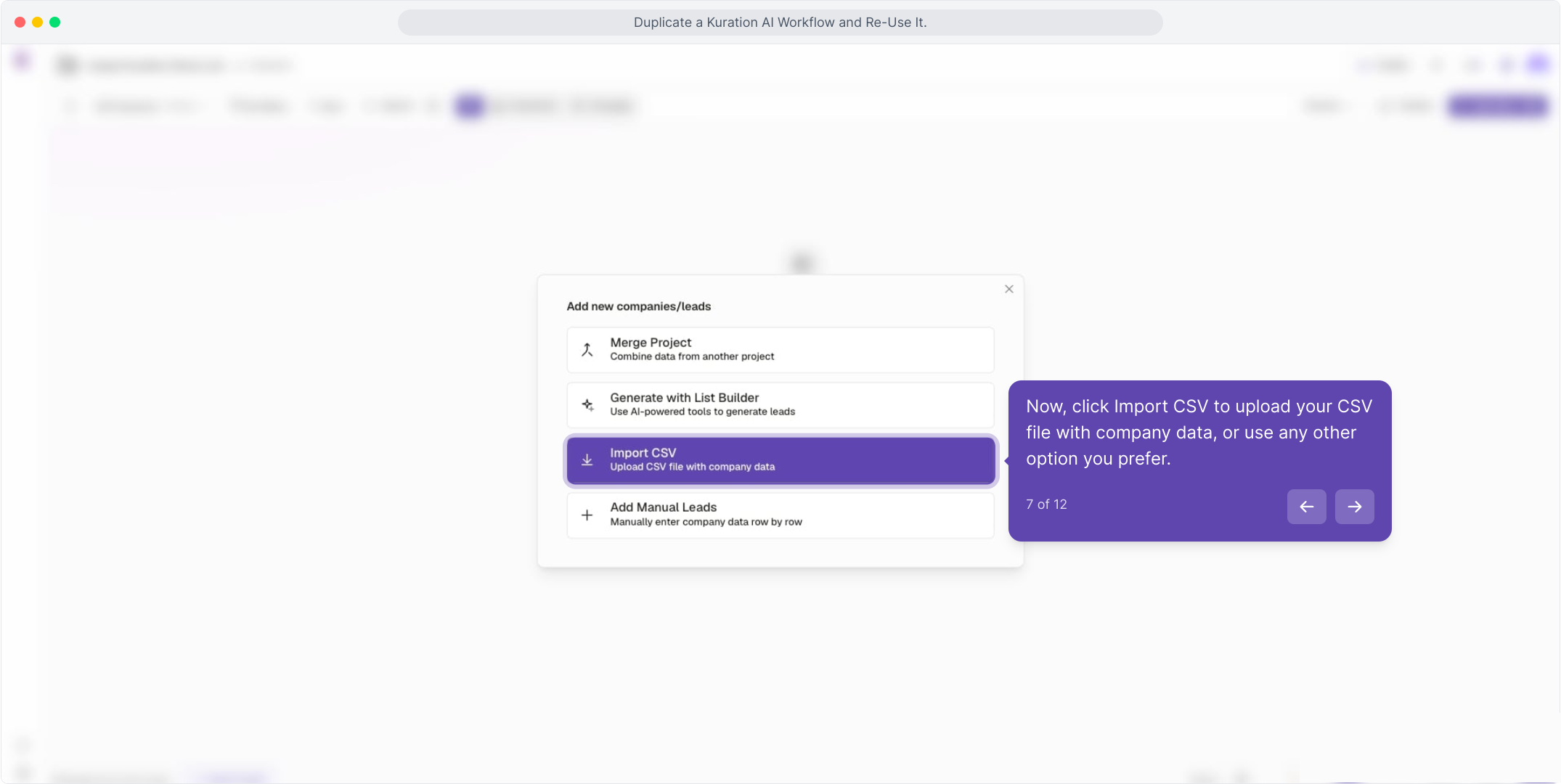
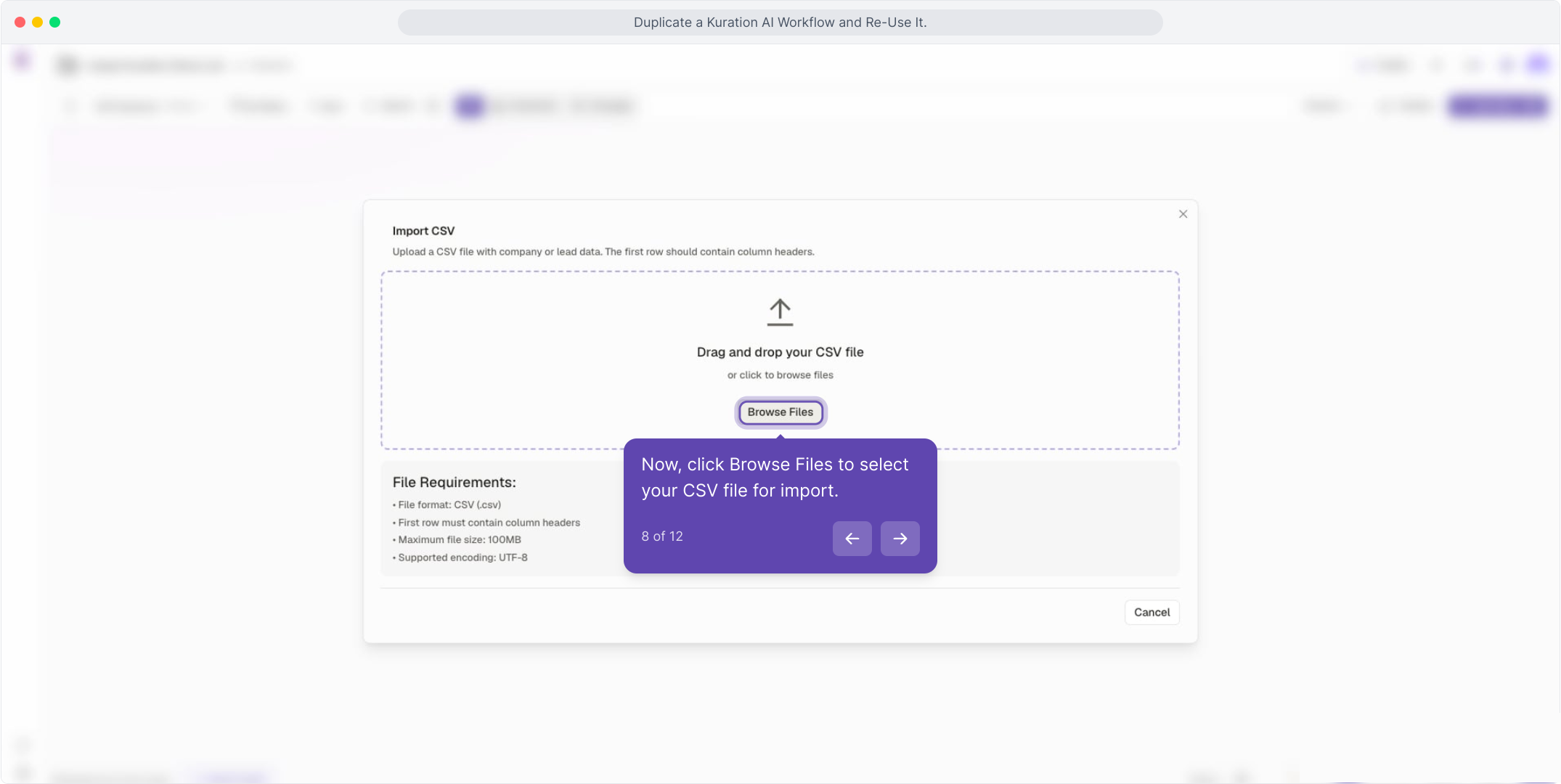
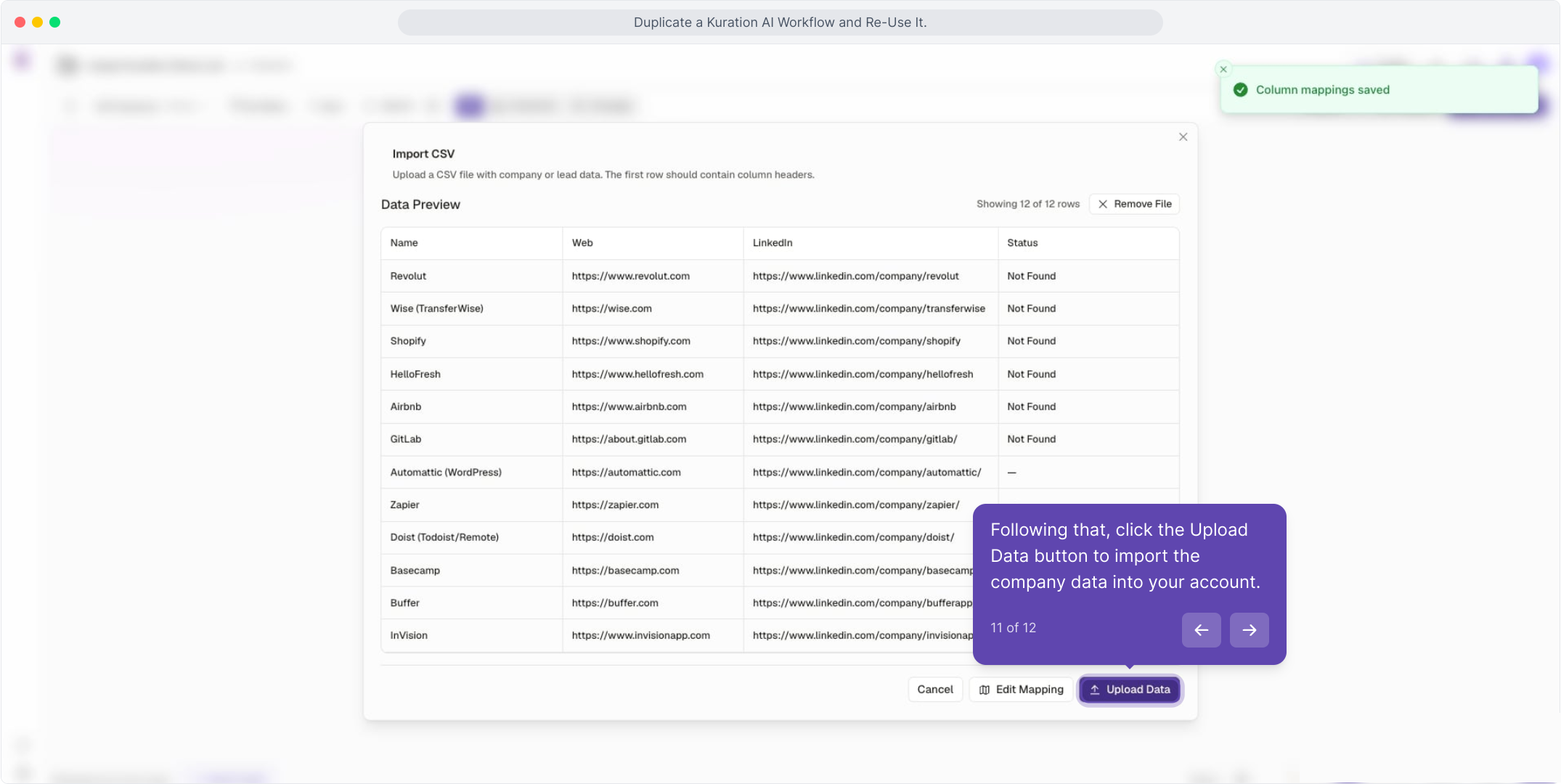
Click Import leads, then Import CSV and browse to your file.

04

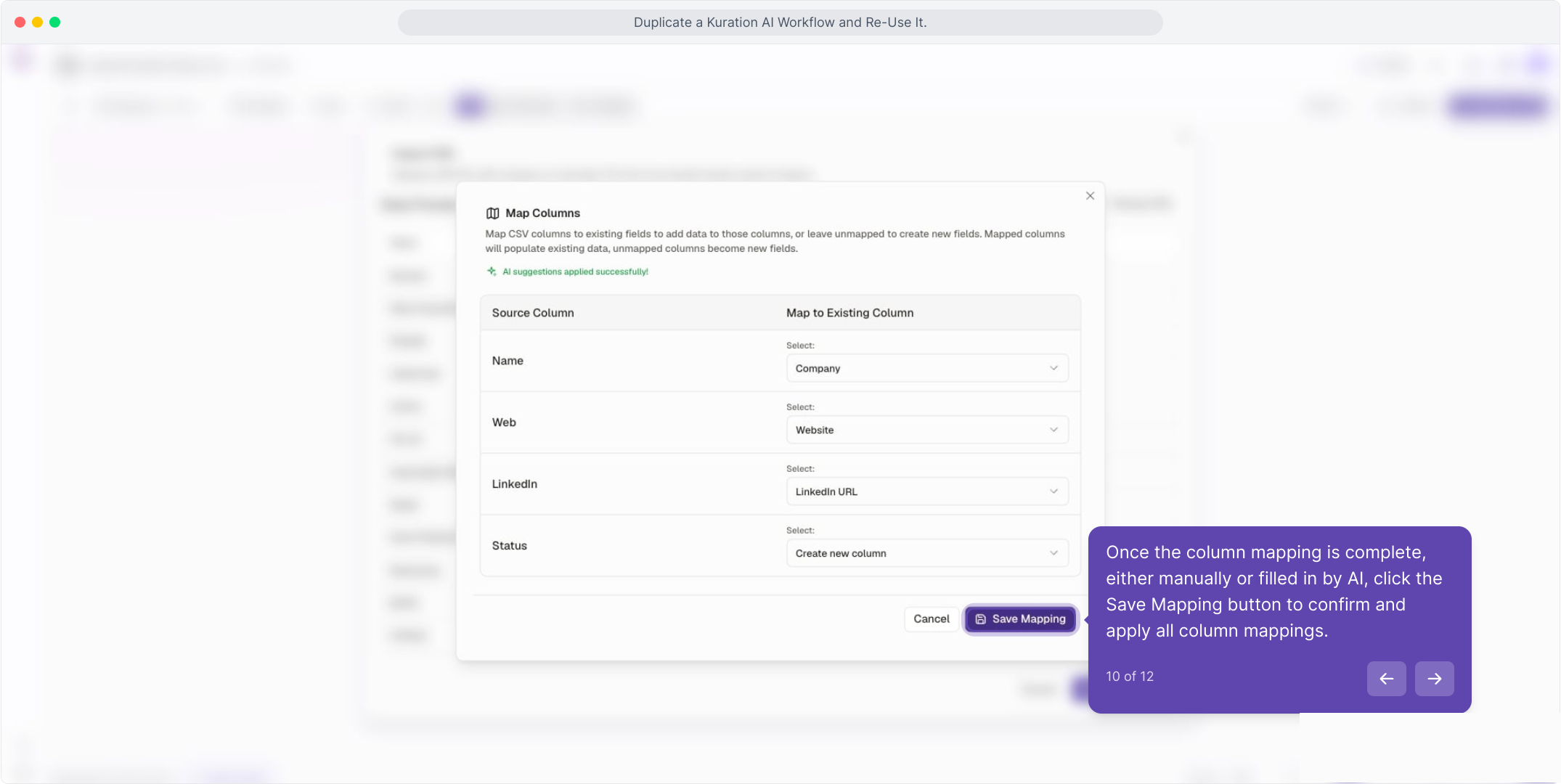
Map columns, save the mapping, then Upload Data.

app.kurationai.com · Duplicate project
Illustrative · Kuration
Duplicate project
Choose what to copy
Without data (workflow only)
Copies the tool columns, leaves records behind
With data
Copies both the workflow and every row
Cancel Duplicate
THE FULL GUIDE

See the full walkthrough

Follow the interactive demo step by step, from duplicating the workflow to importing a fresh CSV and enriching it the same way.

Opens in a new tab. Come back any time.

Use to navigate