01
Builds the database you own
Name a market and AlexAI turns it into a table of companies, people, and sources. You keep the rows, export them, and refresh them on a schedule.
Your marketYour rowsYou own it

 Meet AlexAI
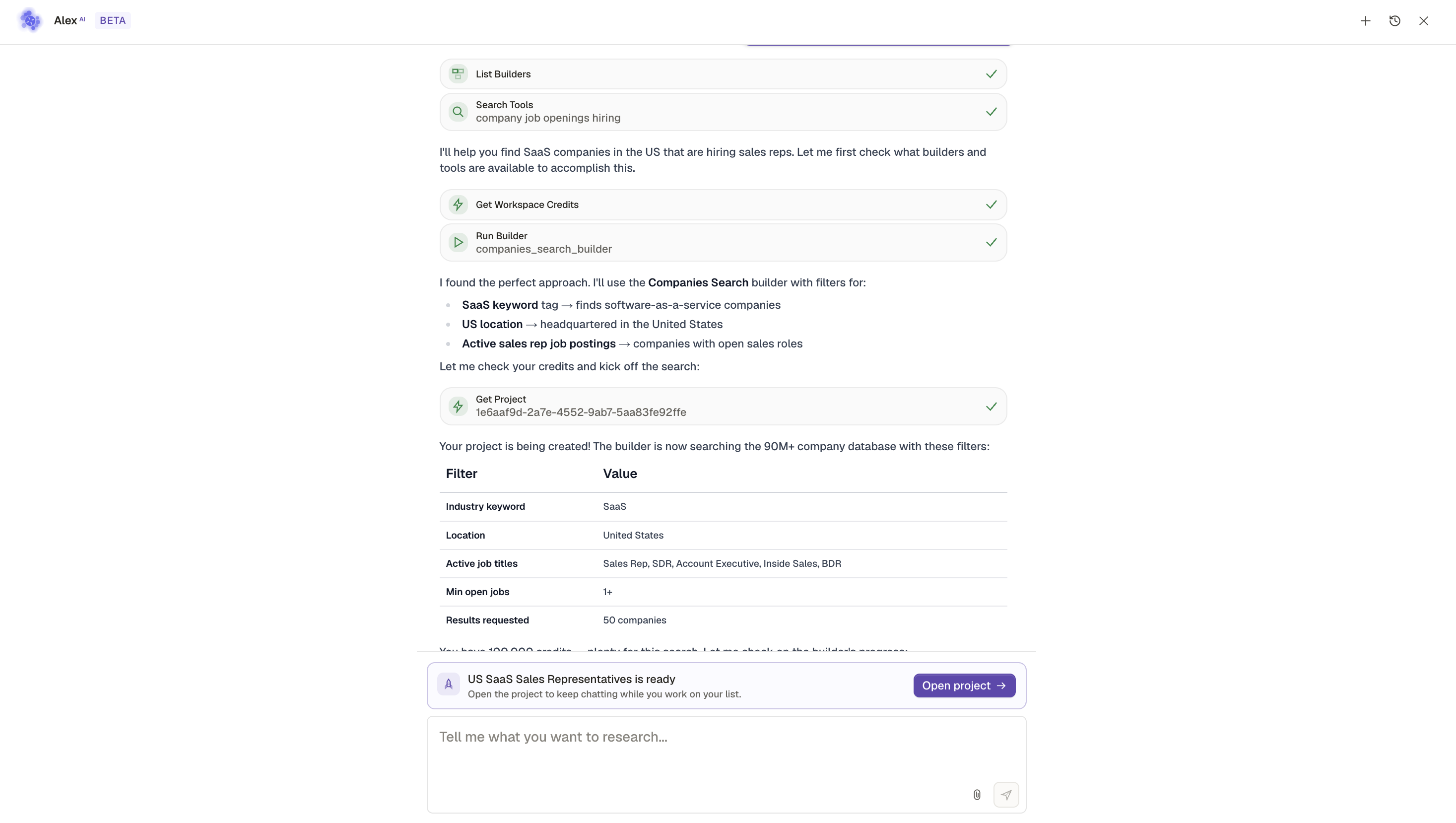
AlexAI is Kuration's research agent. Name the market in plain English. It sources the companies, verifies every fact, and emails people to confirm the details a shared list never checks. You keep the table.
What AlexAI builds
AlexAI builds the database, verifies the information, and emails to confirm the details that never show up on a page.
Name a market and AlexAI turns it into a table of companies, people, and sources. You keep the rows, export them, and refresh them on a schedule.
Websites, emails, phones, and titles are checked against a live source before a row looks finished. A dead fact gets a stamp you can see.
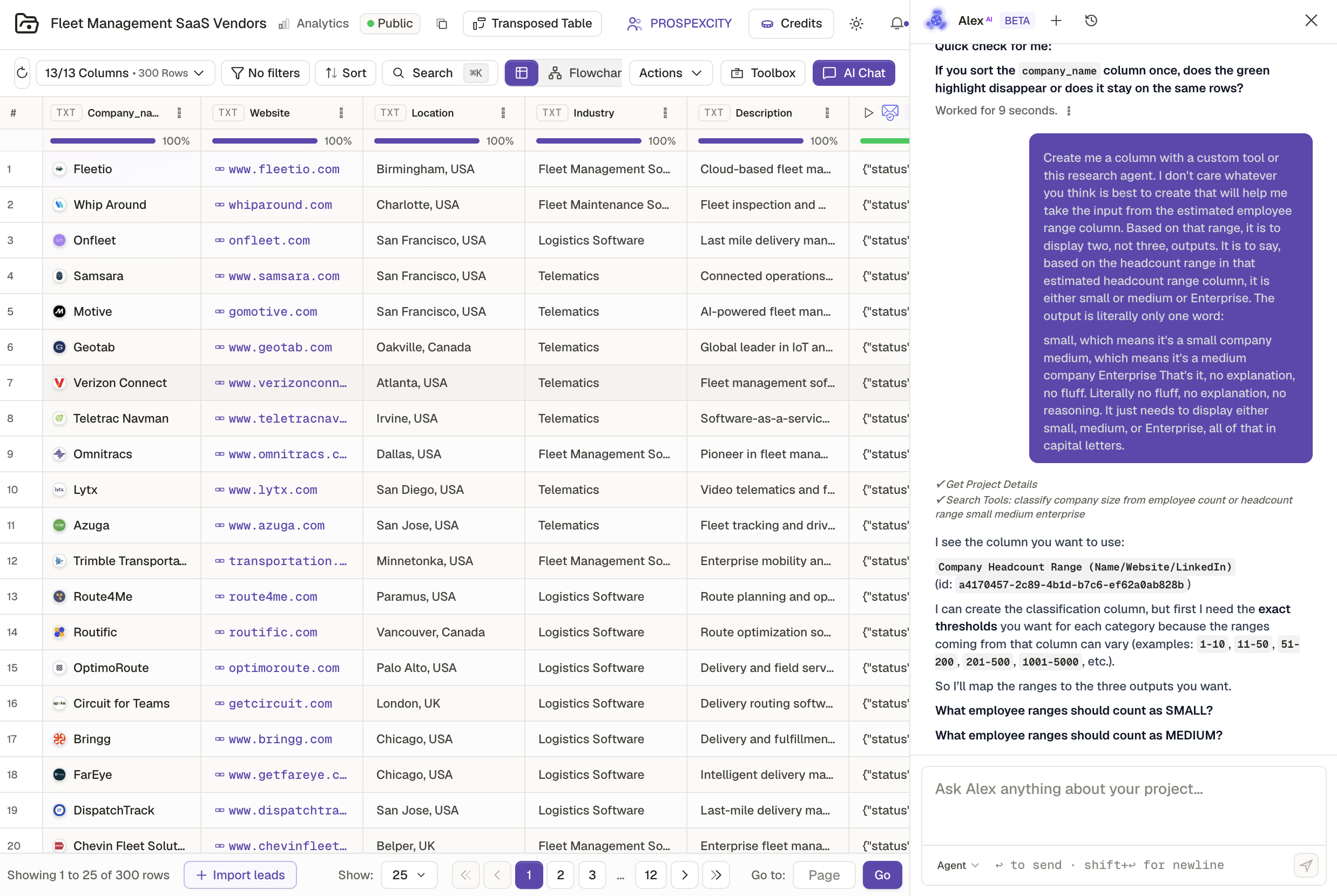
When a page is stale or silent, AlexAI writes a short email and asks. The reply is written back onto the row, so the database holds what the company said.
How AlexAI works
You describe who belongs in it. AlexAI sources the rows, verifies them, and emails to confirm the rest.
Step 01
Plain language. The industry, the geography, and the fact that has to be true. Tell AlexAI who belongs in the database.
Step 02
It pulls from live sources, then checks website, email, phone, and title before a row is allowed to look finished.
Step 03
Where a page cannot prove a detail, AlexAI sends a short confirmation email and writes the answer back onto the row.
Your market database
Ask me anything about your database…
Illustrative example. AlexAI runs in your browser — try it live at app.kurationai.com
See it live
Sourced, verified, and ready for the confirmation emails that fill in what the page left out.
Prompt library
Click any prompt to copy. Paste it into AlexAI at app.kurationai.com.
What AlexAI can do
AlexAI picks the check for each fact, and sends the email when a source cannot settle it. These are a few of the tools it can call.
…and many more. AlexAI decides which to call — you just describe what you need.
Why not ChatGPT?
ChatGPT and Claude are great for writing. AlexAI checks a phone number, emails a contact to confirm a detail, and hands you the table you keep.
The sandbox
Every agent is capped by the tools it was given. AlexAI has one more: a disposable machine of its own. It can write a script, run it, read the output and carry on, which is how it handles the jobs nobody built a button for.
Not a description of what the code would do. AlexAI writes a file, executes it, and reads what comes back, the same way you would in a terminal.
Reshape a file that no importer accepts, work out a number across thousands of rows, pull apart a format nothing else reads. The long tail a fixed tool list never covers.
The machine exists for the task and is thrown away after it. Nothing persists between runs, so a job can never leave anything behind for the next one.
It is the same sandbox the platform's own research tools run in, so what AlexAI can work out in a chat is what the tools can work out on a table.
Programmatic access
A single REST endpoint. Send a natural-language prompt, get a market database back — sourced, verified, and pushed to your CRM or returned as JSON.
curl -X POST https://api.kurationai.com/v1/alexai/run \
  -H "Authorization: Bearer pk_live_..." \
  -H "Content-Type: application/json" \
  -d '{
    "prompt": "Build a market database of fintech exhibitors at Web Summit 2026. \
               Verify each contact, and email anyone whose role you cannot confirm.",
    "export": "hubspot:list/event-sponsors-q1"
}'AI Agents
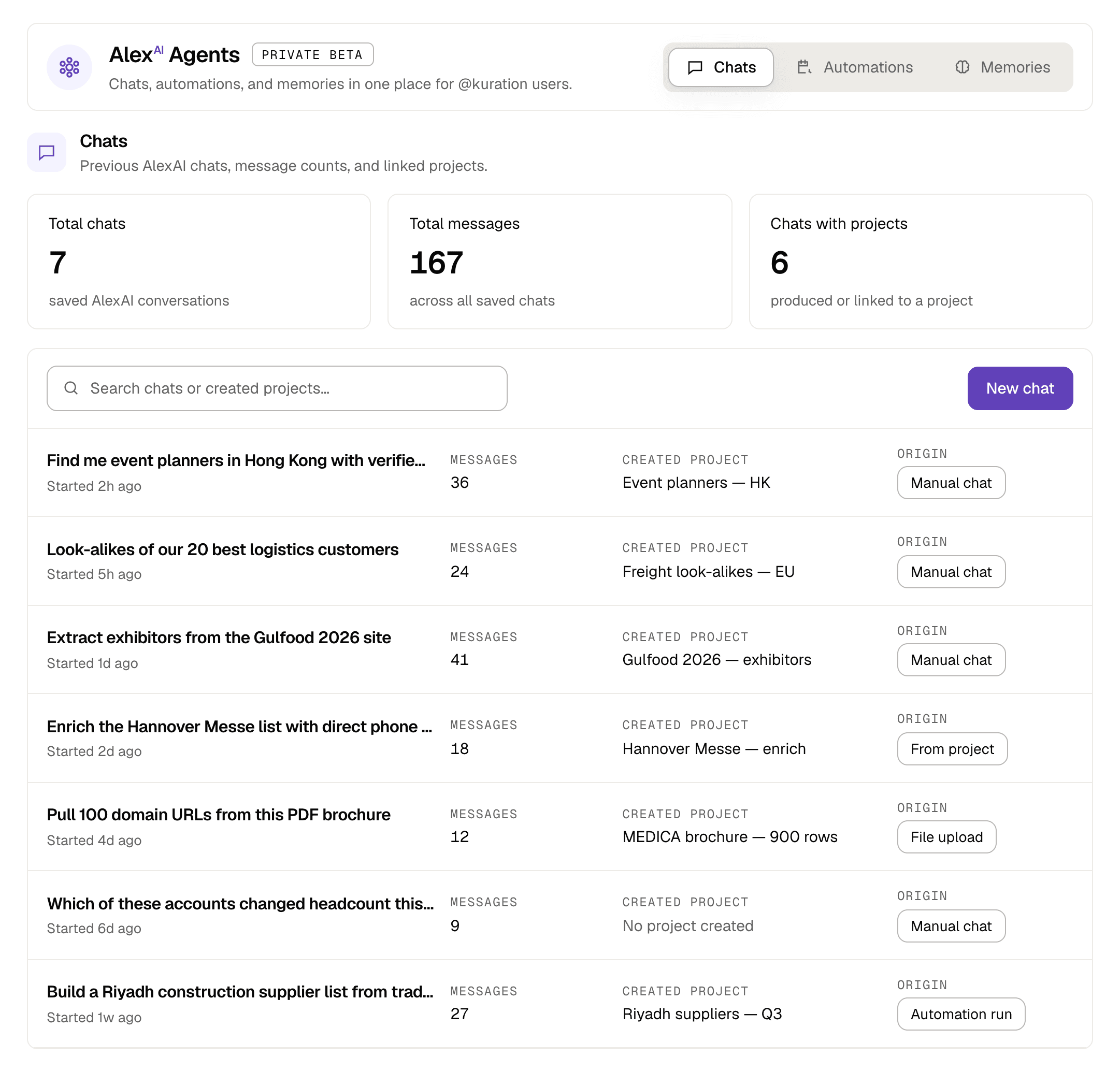
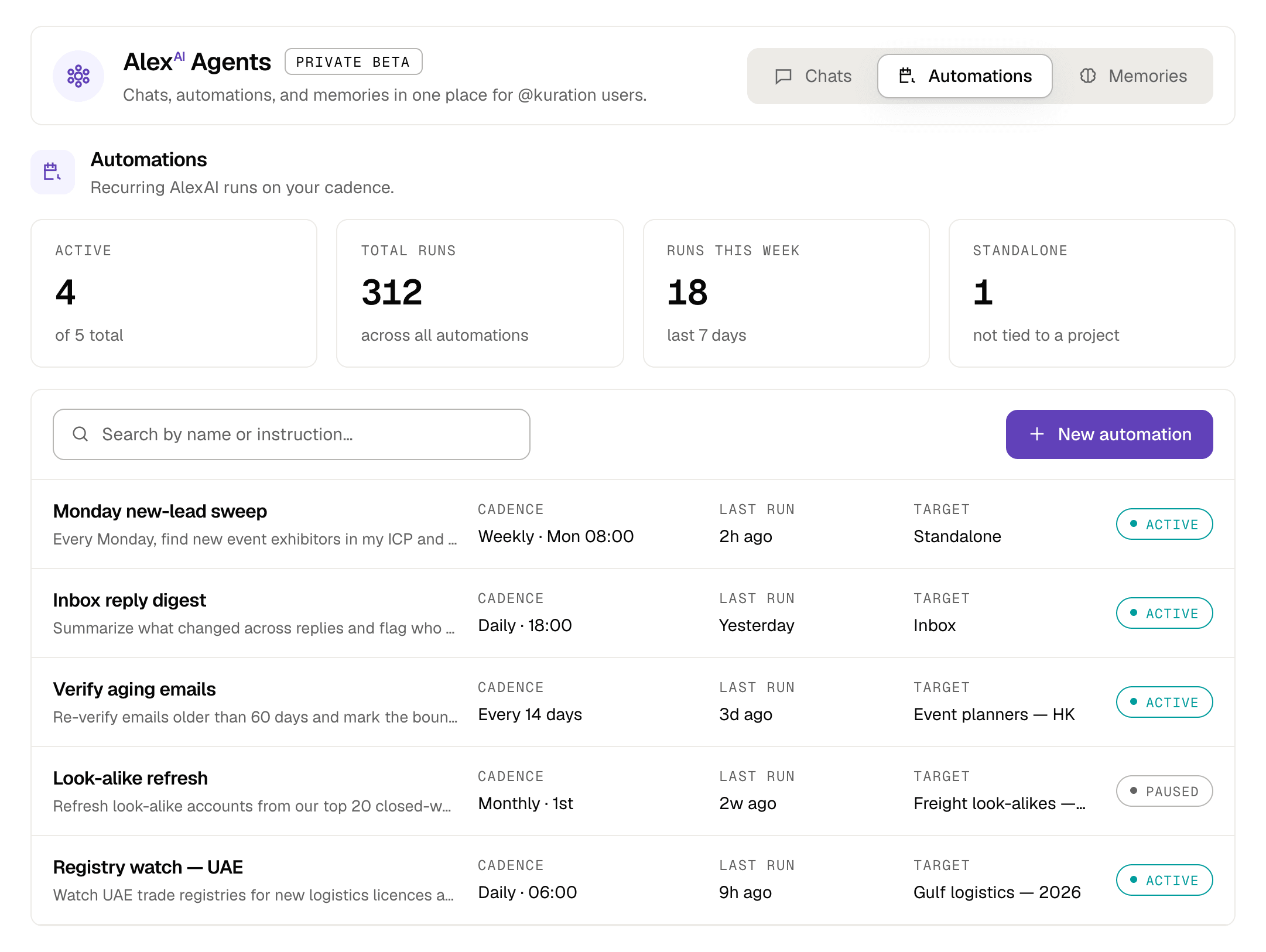
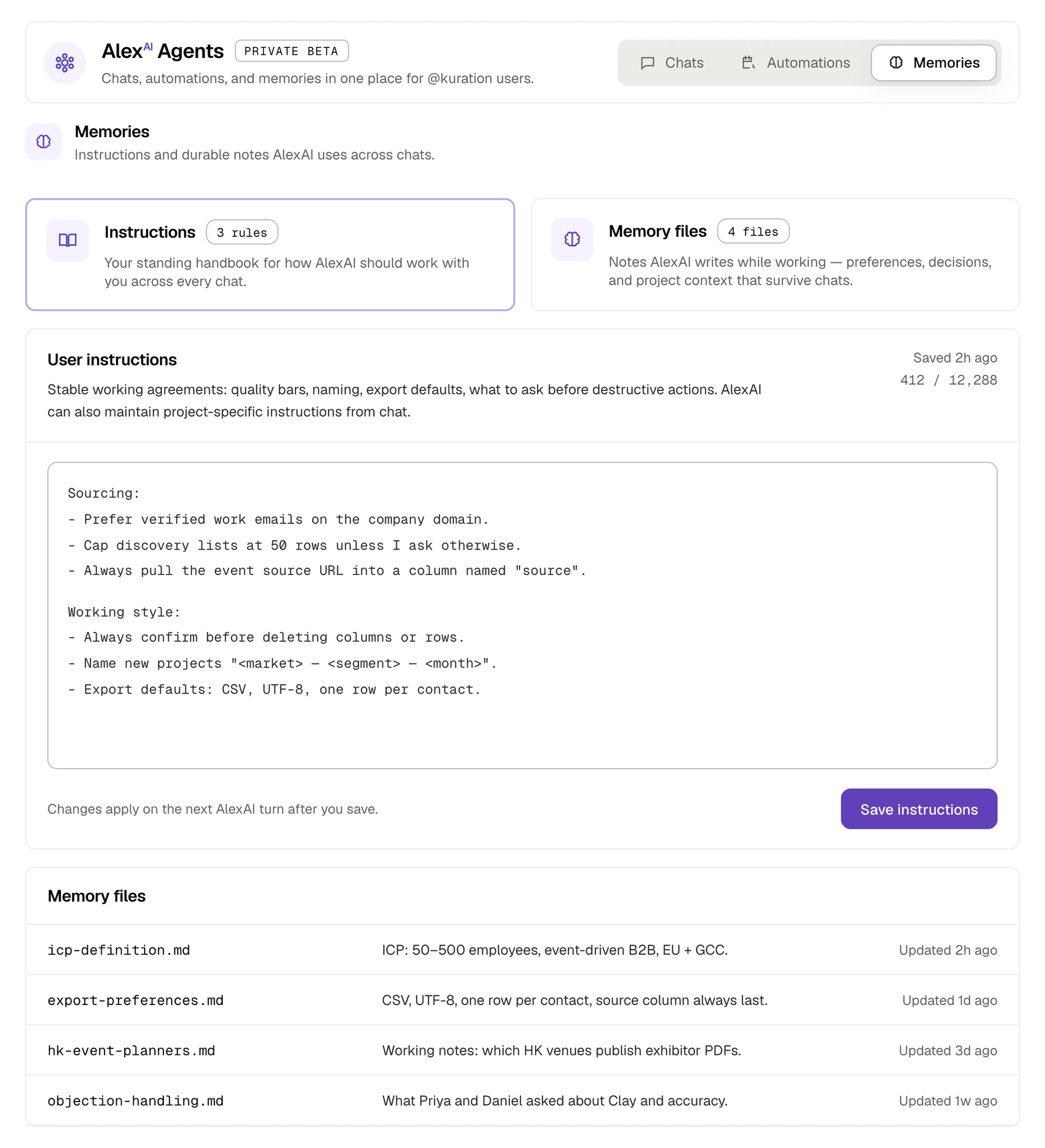
AlexAI stops starting from zero. Keep every conversation, give it a standing job on a cadence, and write down the working agreements it should follow in every chat.
Chats
Previous AlexAI chats with their message counts and the project each one created. Pick up a thread from last week without re-explaining the account, the ICP, or what you already ruled out.
Automations
Write the instruction once, choose when it runs, and point it at a project, the inbox, or nothing at all. Every execution is recorded, so you can see what changed and when.
Memories
Instructions are the working agreements AlexAI follows in every chat. Memory files are the notes it writes while working, so preferences, decisions and project context survive the conversation they came from.
Tool permissions
Each automation has its own tool permissions. Gated tools like these start pre-approved, so a run at 06:00 can finish without waiting for you; open Manage and set anything that job should never touch to ask or deny. A run that reaches a tool set to ask pauses for your approval instead of failing.
Pre-approved by default · ask or deny per automation
Chat vs. spreadsheet
Chat is for thinking out loud. The spreadsheet is for precise edits. You can switch any time.
Your market database
14-day free trial · no credit card · verified rows in minutes