Your own CRM, built from every list you make.
Every company and person from your projects in one place, with no duplicates. Put them on a pipeline stage, give them an owner and a task, and read every conversation on the record, in the same place the list was built.
Included on Starter, Pro and Scale · see pricing
Four layouts, one switcher
A record, a grid, a board, a to-do list
The same companies and people, shown the way the job in front of you needs them.
List
One record at a time, with tabs for Overview, Tasks, Activity, People, Conversations, Signals, Scoring, Data and Sources. Move down the list with J and K.
Table
The full grid, with columns and filters. Stage is a sortable column, so the pipeline is one click from the data.
Board
Records laid out by stage, with a total on each column, so you can see where the pipeline is stuck.
Tasks
Every task across the database in one inbox. Filter to all of them, yours, or the ones nobody owns yet.
How records get in
Build the list once. It stays.
A project is one search. The Private Database is everything those searches found, joined up. You choose which projects contribute with Link Private DB on the project toolbar, and you can turn any filtered view back into a new project.
Your projects feed it
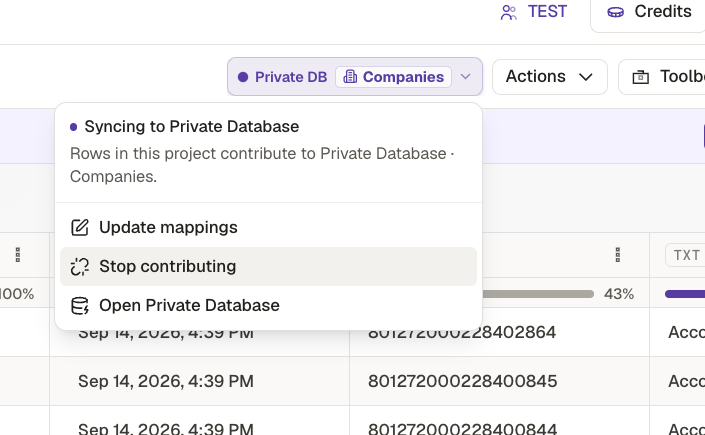
Link a project and AI suggests how its columns map. The Private DB control on the project then shows whether its rows are syncing: update the mappings, open the database, or stop contributing.
Matched, not duplicated
Companies match on domain and people on their LinkedIn profile URL, so a distributor found by six projects is one record that says From 6 projects.
Or add one by hand
Add company needs a domain and a name; employee count, industry, LinkedIn URL and location are optional. Add person works the same way.
The pipeline
The parts of a CRM you actually use
Stages, owners, tasks and notes. Enough to run a pipeline of distributors or dealers without exporting it somewhere else first, and AlexAI can make the updates for you.
Stages
Up to ten pipelines for companies and ten for people. Change a stage from the record, the table or the board.
Owners
Give each record an owner from your workspace, then filter to My records or No owner.
Tasks
Tasks with a due date, an assignee and comments, up to fifty on a record. Tick them off from the record or the Tasks inbox.
Notes and activity
A notes panel for what a field cannot hold, and an activity log of stage changes, task updates and owner changes on every record.
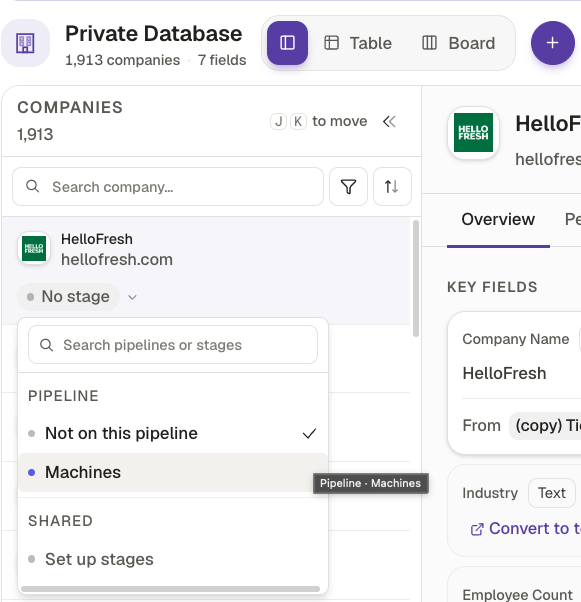
Start from a pipeline, or build your own
Sales pipeline
Partnerships
Account research
On the record
What they said, what changed, how well they fit
A CRM only knows what somebody typed into it. These tabs fill themselves from the inbox, the monitoring tools and the scoring agent.
Conversations
Every thread with that person across WhatsApp, LinkedIn DM and email, channel marked on each. Reply from the record, or start with an email, a WhatsApp message or a connection request.
Signals
Job changes, new funding and M&A activity, from the monitoring tools on the projects the record sits in. Add a monitoring tool straight from the record.
Scoring
The score comes from a Scoring Agent column, against a profile you define for companies or for people. Nobody can type it in by hand.
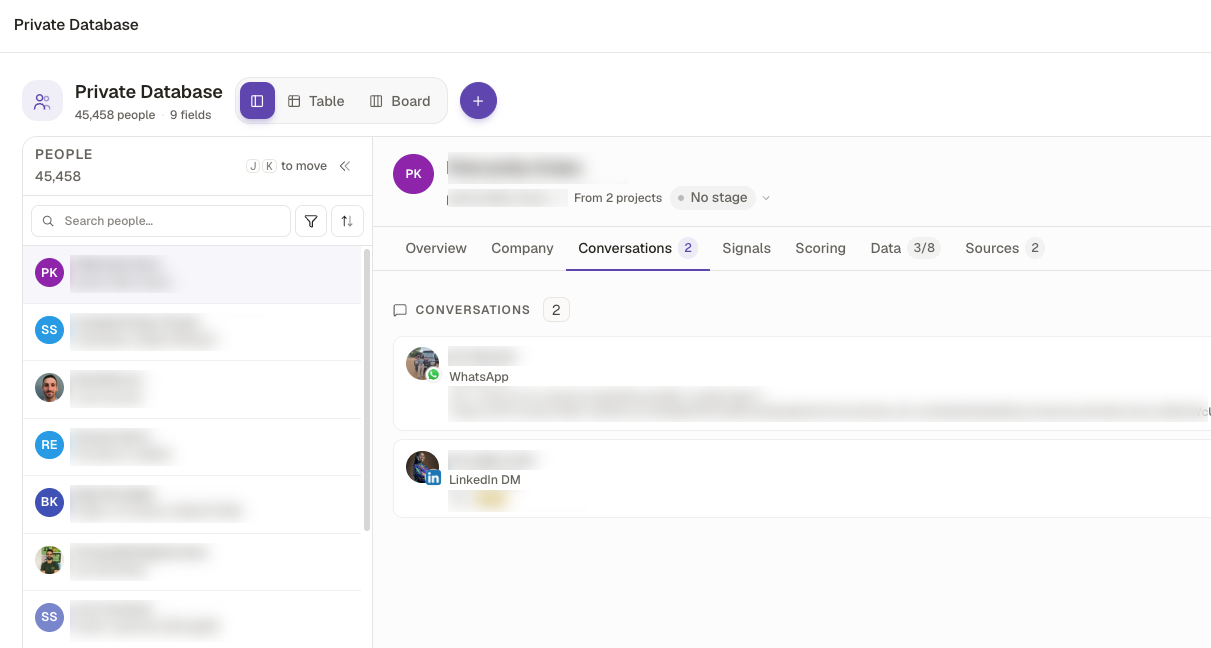
Conversations · every channel on one person · names blurred
Find anyone in it
Describe the filter. Alex builds it.
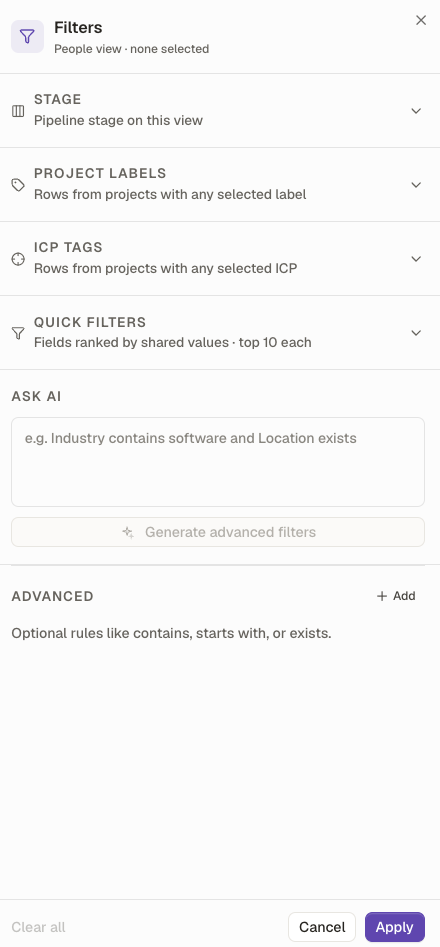
Filters has an Ask AI box. Write the rule in plain words and Alex generates the advanced filters. Or set them by hand.
Project labels make the big cuts quick: put a First Connection label on your imported LinkedIn network and your 1st-degree contacts are one click away.
- Stage
- Pipeline stage on this view
- Project labels
- Rows from projects with any selected label
- ICP tags
- Rows from projects with any selected ICP
- Quick filters
- Fields ranked by shared values, top 10 each
How edits behave
Mapped fields
An edit on the record also updates the cell in the project it came from
Custom fields
Custom and select fields live on the record only
Identity
The domain or LinkedIn URL that defines a record cannot be edited
Score
Only a Scoring Agent column writes the score
Already on a CRM?
Keep it. Push the records there.
The Private Database is light on purpose. If your team lives in another CRM, push contacts and companies from your projects into it, linked to the right account instead of arriving as orphans. You can also start a list from your CRM, enrich it, and send it back.
 HubSpot
 Salesforce
 Pipedrive
 Zoho
Zoho Breakcold
Let an agent keep the pipeline moving
The Update my private database pipeline automation reads recent replies and activity, and moves records to the right stage with notes and follow-up tasks.
Get started

Describe your target. Get your list.
“Data Edge as a Service is coming.”
Aurelien · CEO & Co-founder · Kuration
Use the platform, call the API, or wire it into your agents via MCP. Any market. Any language. Any source.