Lesson 1.2.6
Transpose to a people table, then export it
What this costs
Free. Transposing and exporting do not spend credits.
Before you start
A table with companies and at least one contact column filled.
Your table is company first: one row per company, with people tucked inside a cell. Every outreach tool you will send this to is people first: one row per person. Transpose flips it, and it is the step people miss right before they export something their sequencer cannot read.
What transpose actually does
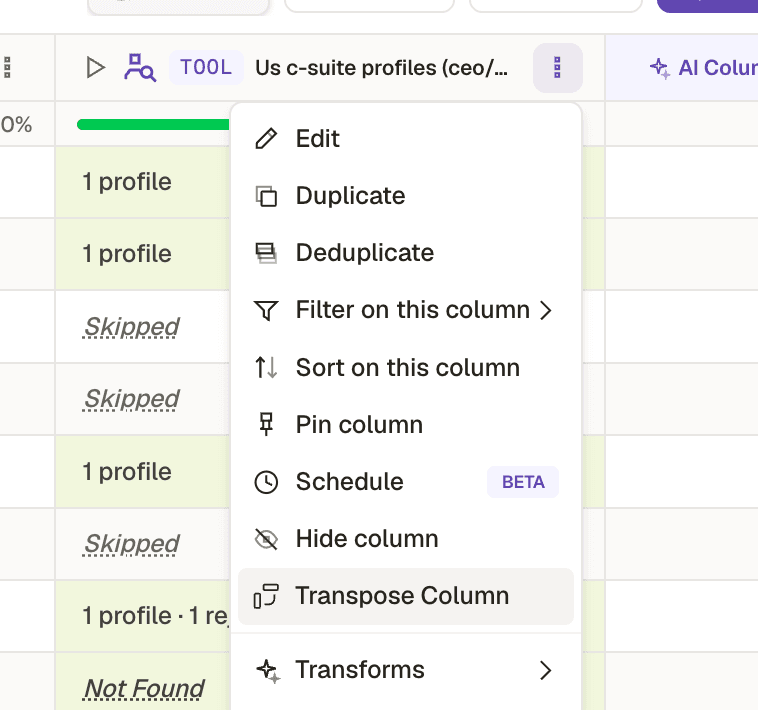
- 1Transpose Column, on the column holding your people.
A company row that returned three contacts becomes three rows, each carrying its own person and a copy of the company fields. Nothing is lost and nothing is researched again, so it costs nothing. Your 43 company rows might become 51 people rows.
- 1
Preview the transpose before committing to it
Check the row count it will produce and which company fields carry across. If a field you need is missing from the preview, fix the column mapping before you flip.
- 2
Name your columns before exporting, not after
Whatever a column is called here is what lands in the CSV header and in the CRM field mapping. Rename now and every future export of this workflow lines up automatically.
- 3
Filter on quality one last time
Filter out rows where the match type was closest available if you asked for seniority, and rows where the contact has no usable channel. Exporting a row you will not contact costs nothing but pollutes every metric you calculate later.
- 4
Export
CSV for a one off, Google Sheets when someone else needs to work in it, or push straight to your CRM or sequencer. The integrations route is course 3.2.
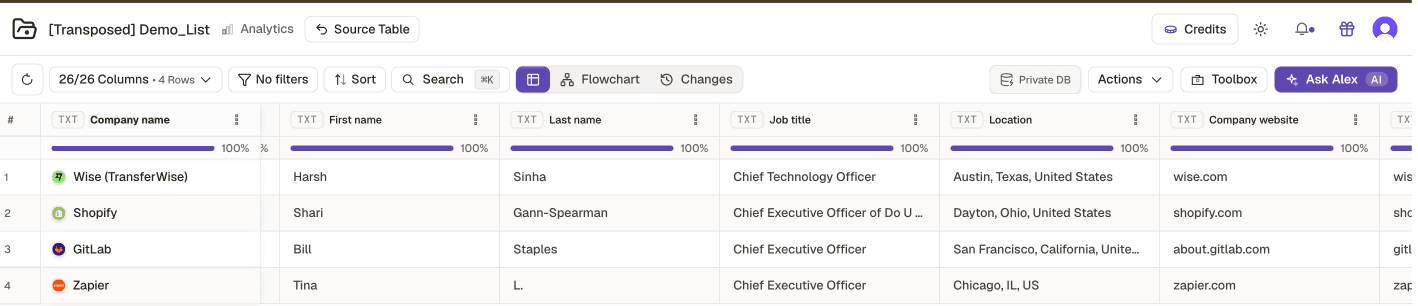
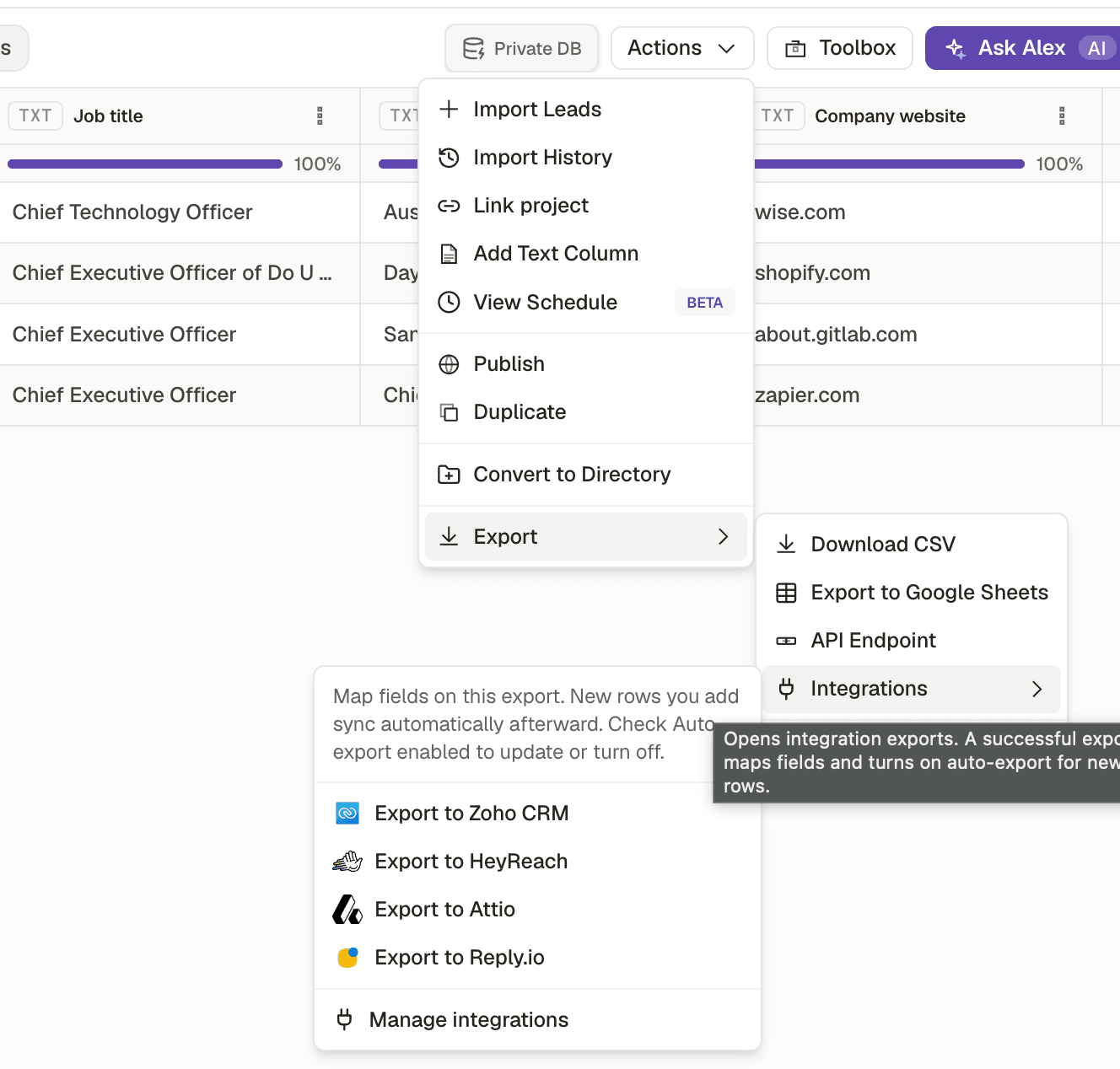
- 1Export, with CSV, Google Sheets and an API endpoint.
- 2Integrations push straight into a CRM or sequencer, and can keep syncing.
Exported the company table to a sequencer
- What you see
- Import fails, or every row loads with an empty email field
- The fix
- Transpose first. Sequencers need one row per person.
Renamed columns after exporting
- What you see
- Field mapping has to be redone on every subsequent export
- The fix
- Name the columns in the table, once, then every export and integration inherits it.
Exported before filtering out low confidence rows
- What you see
- Bounces and mismatched personalisation in the first send
- The fix
- Filter on match type and on whether a usable contact channel exists.
You have finished the loop
Source, curate, enrich, exported. From here the Practitioner track makes the same loop cheaper and more reliable at volume: conditions so columns only run where they should, scoring so the cut is defensible, and the reusable workflow so you never rebuild this project again.
Check yourself
0 of 2 answered1.Why transpose before exporting to a sequencer?
2.When should you rename your columns?
Try it yourself
Transpose your working list, rename every column to the name your CRM or sequencer expects, filter out low confidence rows, and export.
- You have done it when
- A CSV that imports into your outreach tool with zero manual field mapping.
- Credit budget
- Free.