Lesson 2.2.5
Reuse the same scoring on every future list
What this costs
Free.
Before you start
A scoring model you have validated on at least one list.
A scoring model is only worth the effort if it outlives the list you built it on. Two lists scored by two slightly different models cannot be compared, which quietly destroys any reporting you try to do across them.
- 1
Keep the prompt in one place
One canonical version, with a date on it. Every project either uses that version or records which older version it used.
- 2
Save the workflow, not just the prompt
Duplicate the project without its data so the scoring column, its prompt and its conditions travel together into the next list.
- 3
Version rather than edit
When the ICP changes, make a new version. Scores from two different versions are not comparable, and knowing which version produced a score is the only way to tell whether the market changed or the model did.
- 4
Re score old lists when the model changes
It is free. A model change with no re score means your nurture list is sorted by a definition you no longer hold.
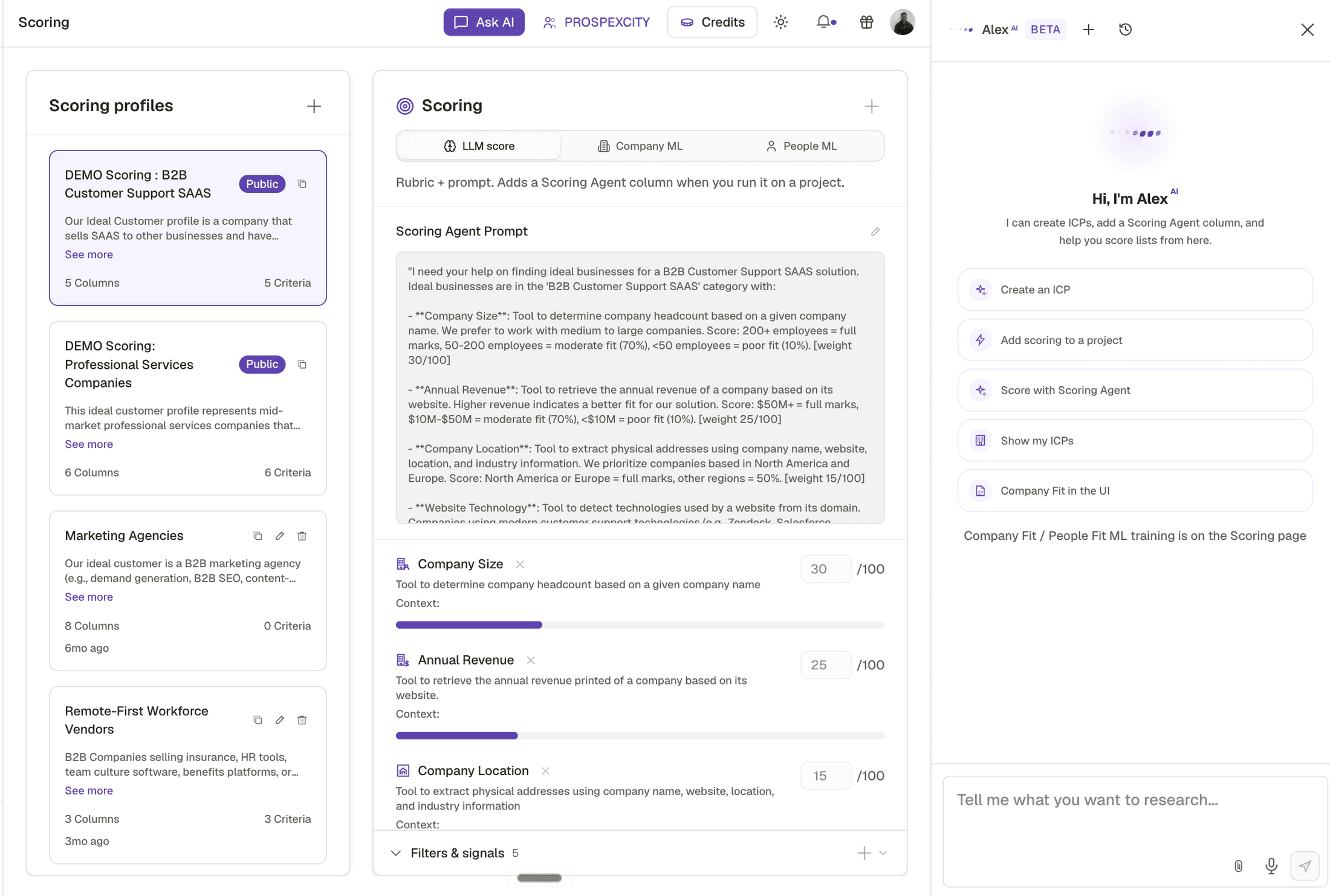
- 1Saved profiles. Build the model once here rather than pasting a prompt into each project.
- 2Columns and criteria per profile, plus when it was last touched. Two lists scored months apart are only comparable if this is the same.
- 3Company ML and People ML. Available, and useless until something is trained, which is why the prompt path above is the one to build on.
Prompt edited in place on each project
- What you see
- Three lists with three definitions and no way to compare them
- The fix
- One canonical prompt, versioned, referenced by every project.
Model changed, old lists not re scored
- What you see
- A nurture list sorted by a definition you have abandoned
- The fix
- Re score. It costs nothing.
Check yourself
0 of 2 answered1.Why version a scoring model rather than editing it in place?
2.You change the model. What should you do with older lists?
Try it yourself
Save your scoring model as a reusable workflow, then run it on a second, different list without editing the prompt.
- You have done it when
- The second list scores sensibly with no changes, or you can name exactly which criterion needed a market specific adjustment.
- Credit budget
- Free.