Lesson 1.1.2
The three moves: source, curate, enrich
What this costs
Free. Nothing to run.
Before you start
Lesson 1.1.1.
Every project you will ever build in Kuration repeats the same three moves in the same order. Once you can name which move you are in, the interface stops being a wall of tools and becomes three decisions.
Move one: source
Produce rows. You pick a builder, describe what you want, and rows arrive in the table. Google Maps for local businesses, Web to Table for any directory or listing page, PDF upload for a show guide, Deep Search for lookalikes of a company you already won, the Chrome extension for LinkedIn. There are many more, and you will use four of them for most of your work.
The output of sourcing is deliberately thin. Usually a name, sometimes a website, sometimes a phone number and a rating. That is correct. Sourcing is cheap and wide. Making it rich is the third move, and you do not want to pay for rich on rows you are about to delete.
Move two: curate
Cut the list down to rows worth paying for. Filter on what the source already gave you. Add one or two cheap qualifier columns and filter on those. Score against your ICP and set a threshold. Deduplicate. Check whether you already have the company in another project.
Move three: enrich
Add contacts and signals to the survivors. Official websites, decision makers, verified emails, technology in use, hiring activity, whatever your outreach actually needs. This is where the credits go, which is why it comes last.
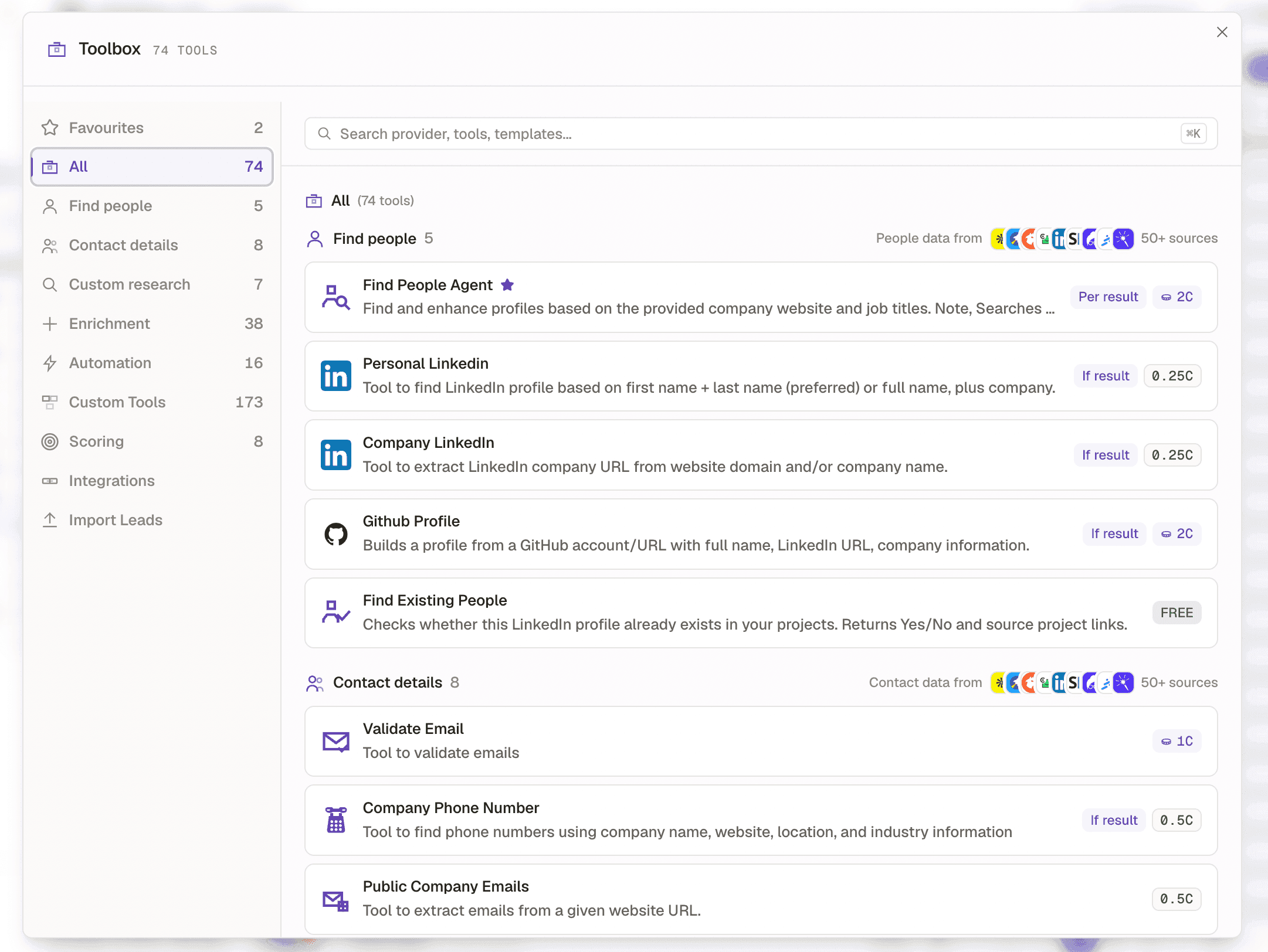
- 1Categories down the left, each with how many tools it holds.
- 2One card becomes one column, run down every row of your table.
- 3What that tool costs, and how it charges. Lesson 1.1.4 is entirely about this badge.
The loop runs more than once
Real projects go source, curate, enrich, curate again, enrich again. You source 400 companies, filter to 240 on rating, add a website column, filter out the 30 with no website, score the rest, cut to the top 90, and only then go looking for people. Each pass makes the list smaller and the next tool cheaper.
| Move | What it produces | What it costs | Where you do it |
|---|---|---|---|
| Source | Rows, thinly populated | Per row produced | New Research, then a builder |
| Curate | A shorter list | Usually nothing. Filters and views are free | The table itself |
| Enrich | Filled columns on the rows that survived | Per row processed, per result, or per run | The Toolbox |
Check yourself
0 of 2 answered1.What is the correct order of the three moves?
2.Which move usually costs nothing?
Try it yourself
Open any project you already have, or a template, and write the three moves down the margin. Name which builder sourced it, which filter would cut it in half, and which single column you would add first.
- You have done it when
- You can name a filter that removes at least 30 percent of the rows before any enrichment runs.
- Credit budget
- Free.