Lesson 3.2.4
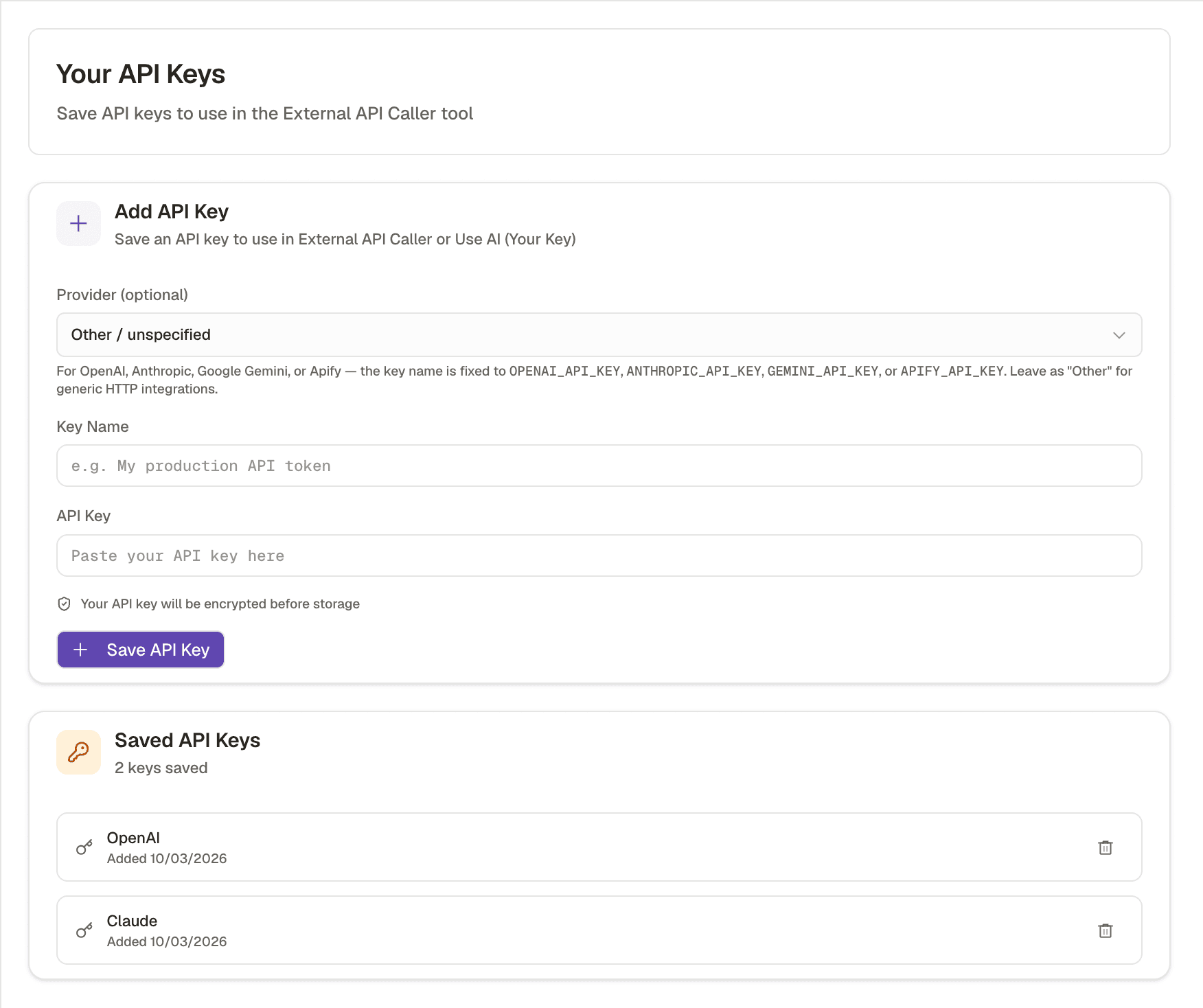
Run AI columns on your own Anthropic, OpenAI or Gemini key
What this costs
Moves the model cost onto your own provider bill.
Before you start
An API key from an AI provider, and a reason to want the cost or the model choice under your control.
You can point the AI columns at your own provider account. It is worth doing for three reasons: cost at volume, control over which model runs, and a procurement or data governance requirement that the model call happens on your own contract.
- 1
Add the key in your workspace settings
The key is stored at workspace level, so the whole team inherits it.
- 2
Confirm which columns are actually using it
Not every tool is a model call. The native research tools have their own pricing, and your key does not change those.
- 3
Watch both bills for the first week
You have moved cost, not removed it. Check that the provider spend is what you expected before scaling up.
- 4
Keep the model choice deliberate
A cheaper model on a qualifying column and a stronger one on a claim that goes into an email is the same depth reasoning as lesson 3.1.4.
Check yourself
0 of 2 answered1.What does bringing your own AI key actually change?
2.Does your own key change the price of the native research tools?
Related and next
This lesson is written and complete. Its screen recording is still to come, and the written walkthrough is designed to stand on its own without one.