Lesson 3.1.3
Suppression before spend: never pay for a row twice
What this costs
Free, and on a mature workspace it is the biggest single saving available.
Before you start
More than one project, and ideally a campaign history.
A refreshing list re encounters the same companies constantly. Without suppression you pay to enrich them again every cycle, and worse, you contact people who already heard from you last month. Suppression is the step that makes automation safe.
Four things to suppress against
- Companies already in another project in your workspace. Find New Companies checks this across every project you can see, for free, so you do not need to keep your own list of what you have already had. Bring the existing data across instead of re researching it.
- People already contacted in a campaign. The worst outcome of automation is double touching someone.
- Companies explicitly excluded: existing customers, current opportunities, competitors, do not contact.
- Rows that failed the same check last cycle. If a company was rejected on a stable criterion, do not pay to re evaluate it every week.
- 1
Run Find New Companies first, every cycle
Point it at your domain column and leave the project list empty, which searches every project you can see rather than just this one. It answers Yes or No per row and links the projects a Yes was found in. It costs nothing, it removes the largest group, and it has to run before anything paid. Find Existing People is the same check for a person, matched on their LinkedIn profile.
- 2
Keep a suppression project for the things no tool can know
Find New Companies tells you what you have touched. It cannot tell you who is a customer, who is mid deal, who is a competitor and who has asked never to be contacted. That judgement is yours, so it lives in one list you check every new list against.
- 3
Record rejections rather than deleting them
A deleted row gets re sourced and re enriched next cycle. A rejected row that you kept, with its reason, is suppressed for free.
- 4
Suppress before enrichment, not before export
Suppressing at export means you already paid. The whole saving is in doing it first.
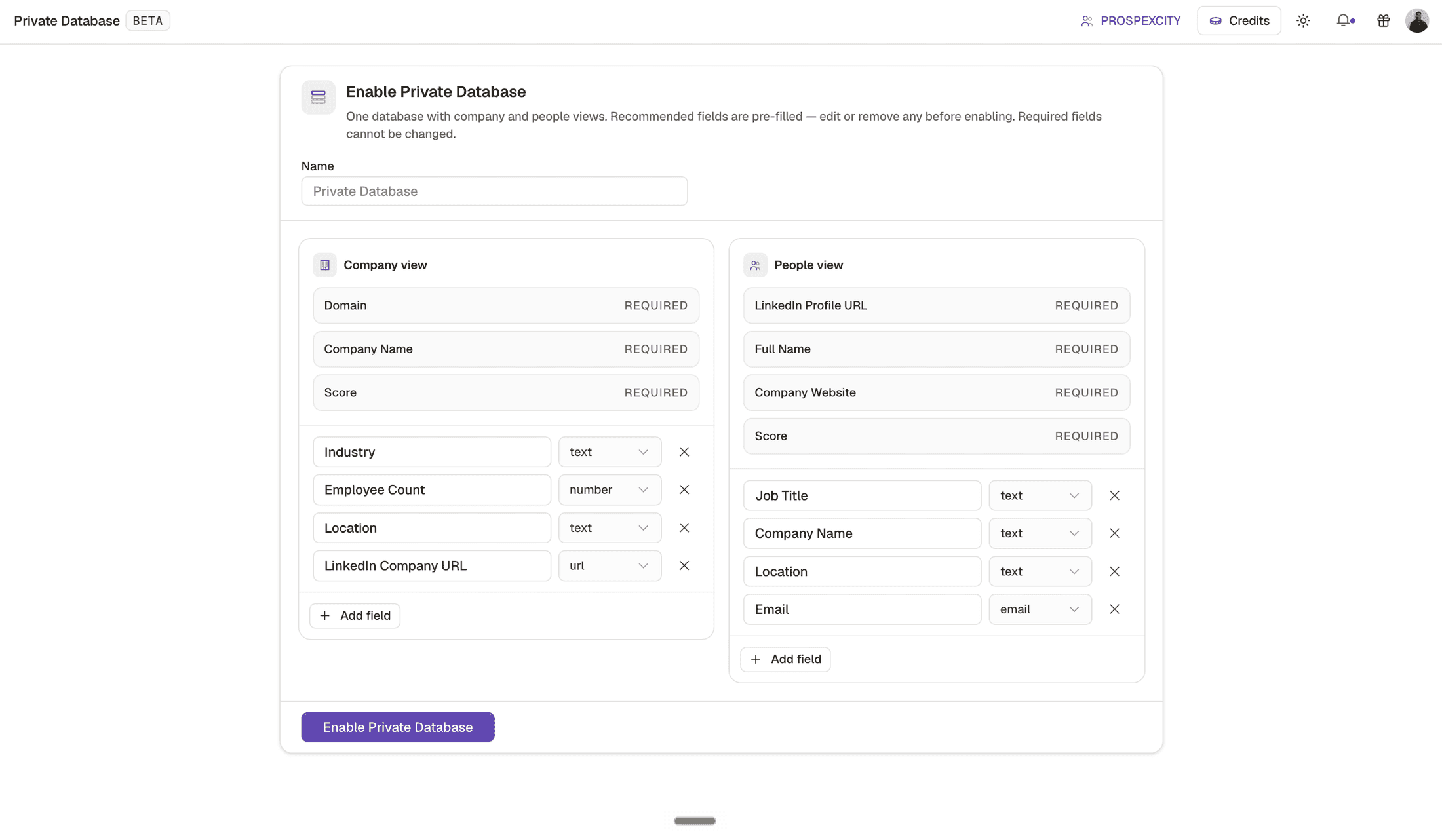
- 1One suppression surface for the whole workspace, rather than a separate list per project.
- 2The people side. Suppress the person as well as the company, or the next cycle emails their colleague instead.
- 3The project a record arrived from, which is how a rejection still carries its context six weeks later.
- 4Scoring on the record itself. Suppressing on score as well as on identity is what stops a refresh re paying for a company you already rejected.
Check yourself
0 of 2 answered1.When should suppression run?
2.Why record a rejection rather than deleting the row?
This lesson is written and complete. Its screen recording is still to come, and the written walkthrough is designed to stand on its own without one.