Lesson 3.1.2
AlexAI: chats, automations and memories
What this costs
Whatever the underlying tools cost. AlexAI orchestrates them, it does not replace their pricing.
Before you start
A project to work on and a saved company context.
AlexAI is the conversational way into the same engine. You describe what you want and it picks the builders and tools rather than you configuring columns by hand. It is fastest for exploration and for one off work, and it needs the same cost discipline as everything else.
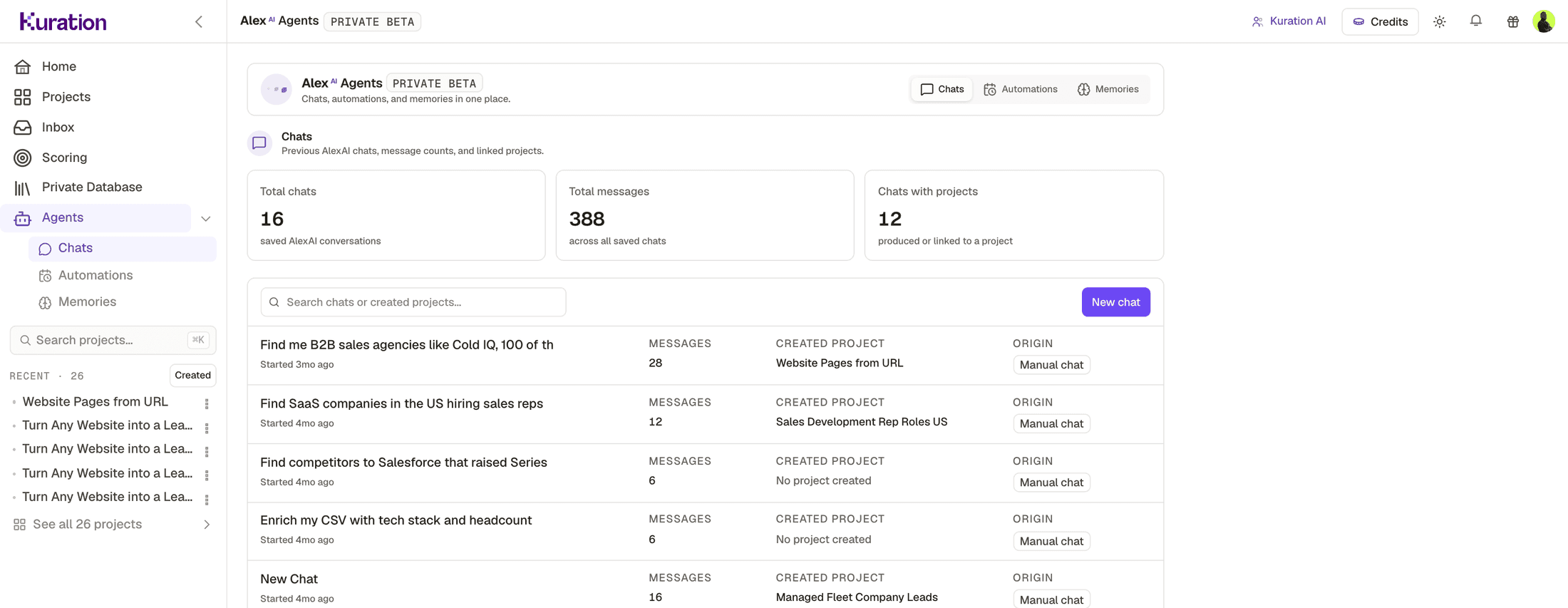
- 1Three tabs: Chats, Automations, Memories. Automations are the ones that run without you.
- 2How much has actually gone through it: saved conversations, messages, and how many produced a project.
- 3Created Project. A conversation that ended in a real table is the only kind worth counting.
When to reach for it, and when to build columns
| Use AlexAI when | Build columns when |
|---|---|
| You are exploring and do not know the shape of the answer | You know exactly what you want and will want it again |
| It is a one off question about a list | It is a repeatable workflow |
| You want a starting point to then refine by hand | You need conditions, scheduling and reuse |
| You are demonstrating something to someone | You are running production lists |
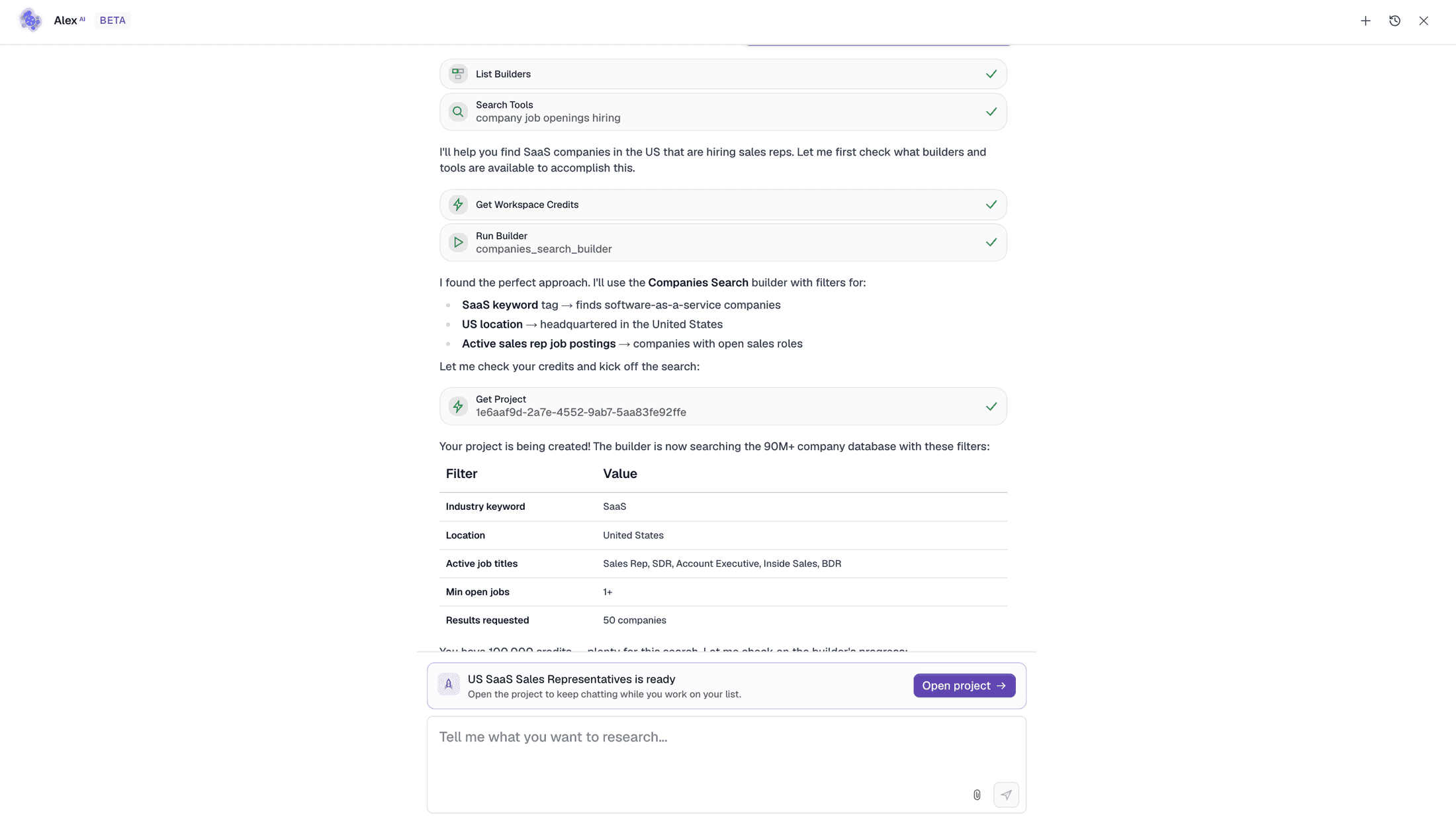
The productive pattern is both: explore in conversation, then rebuild the version that worked as a proper column stack with conditions, and schedule that.
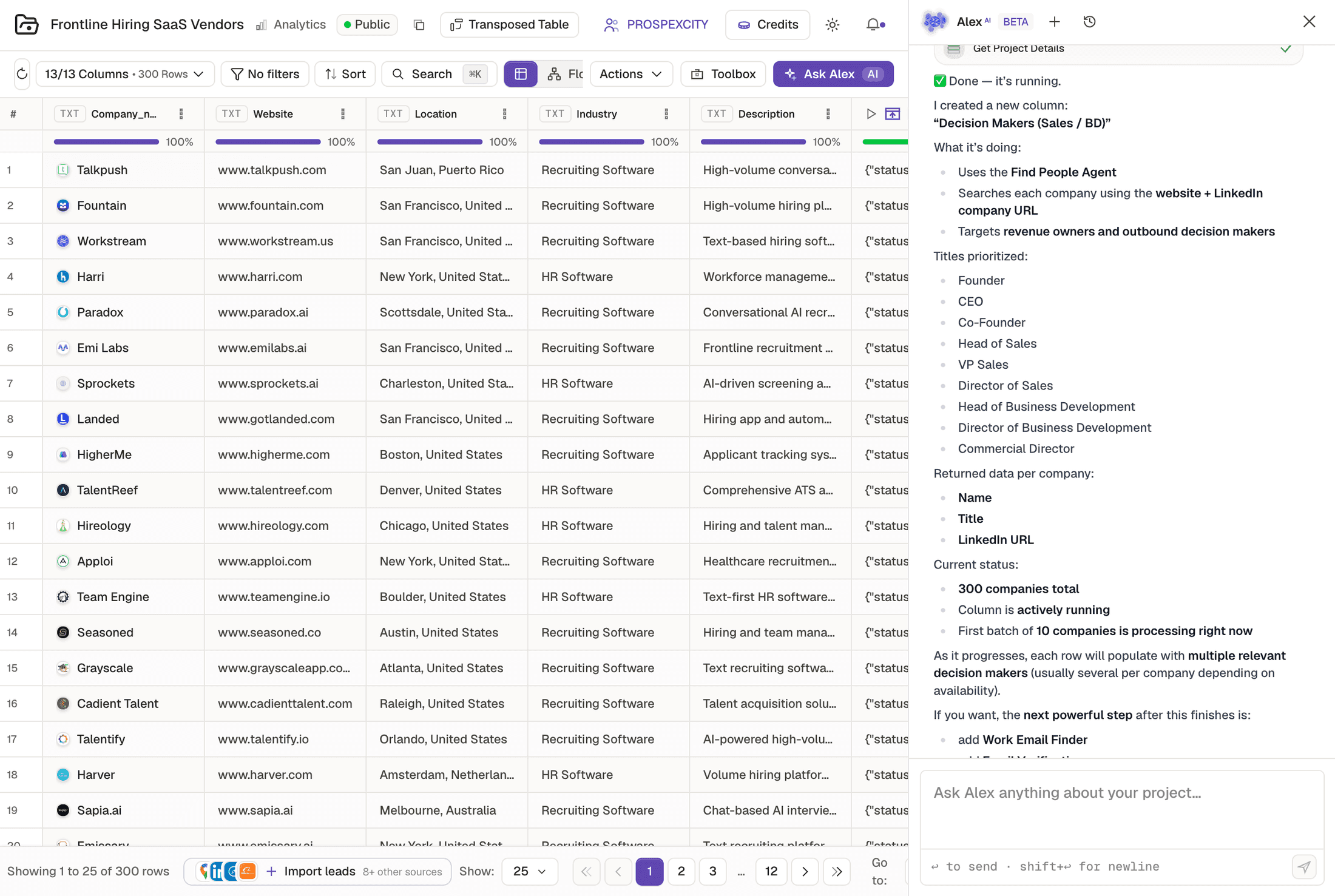
- 1The column it created, named for what it does.
- 2The title ladder it used, in priority order. Same model as lesson 1.2.5.
- 3Progress, in plain language, including how many rows are processing right now.
Check yourself
0 of 2 answered1.When is a conversation the right tool rather than a column stack?
2.What should you give it rather than re describing your ICP each time?