Export to Google Sheets
Push your enriched prospect list from Kuration AI directly to a Google Sheet. Automatic formatting and column mapping included.
Export your enriched data directly to Google Sheets. Kuration creates a formatted spreadsheet with all your columns and data, ready for sharing with your team or further analysis.
How to export to Google Sheets
Open your project
Navigate to the project with the data you want to export.
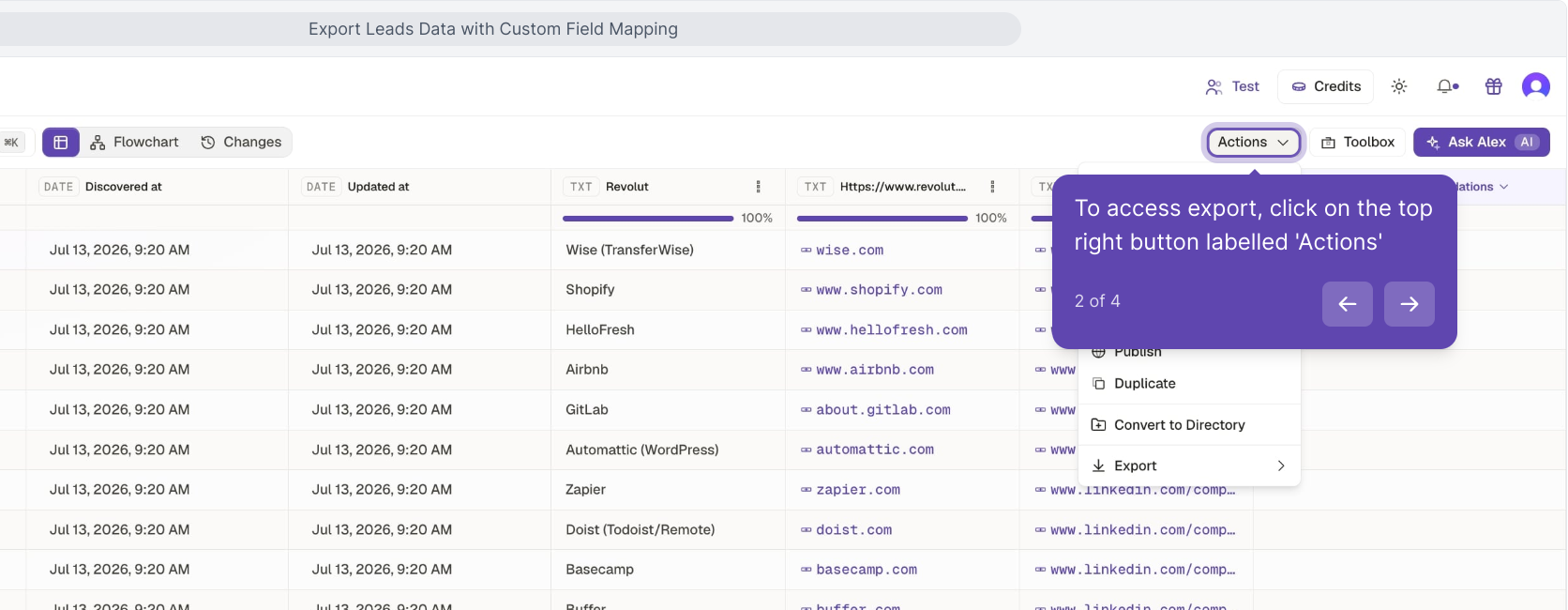
Click Export
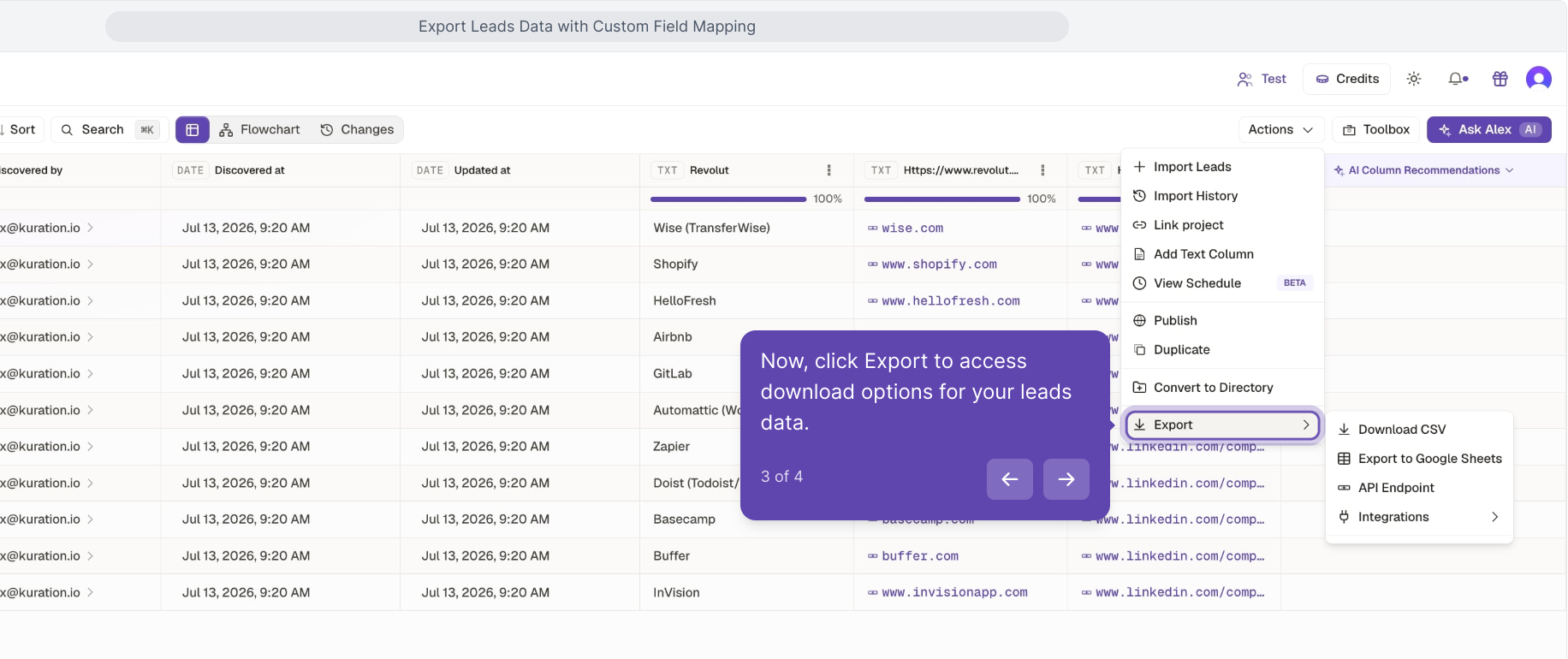
Find the Export button in the toolbar.
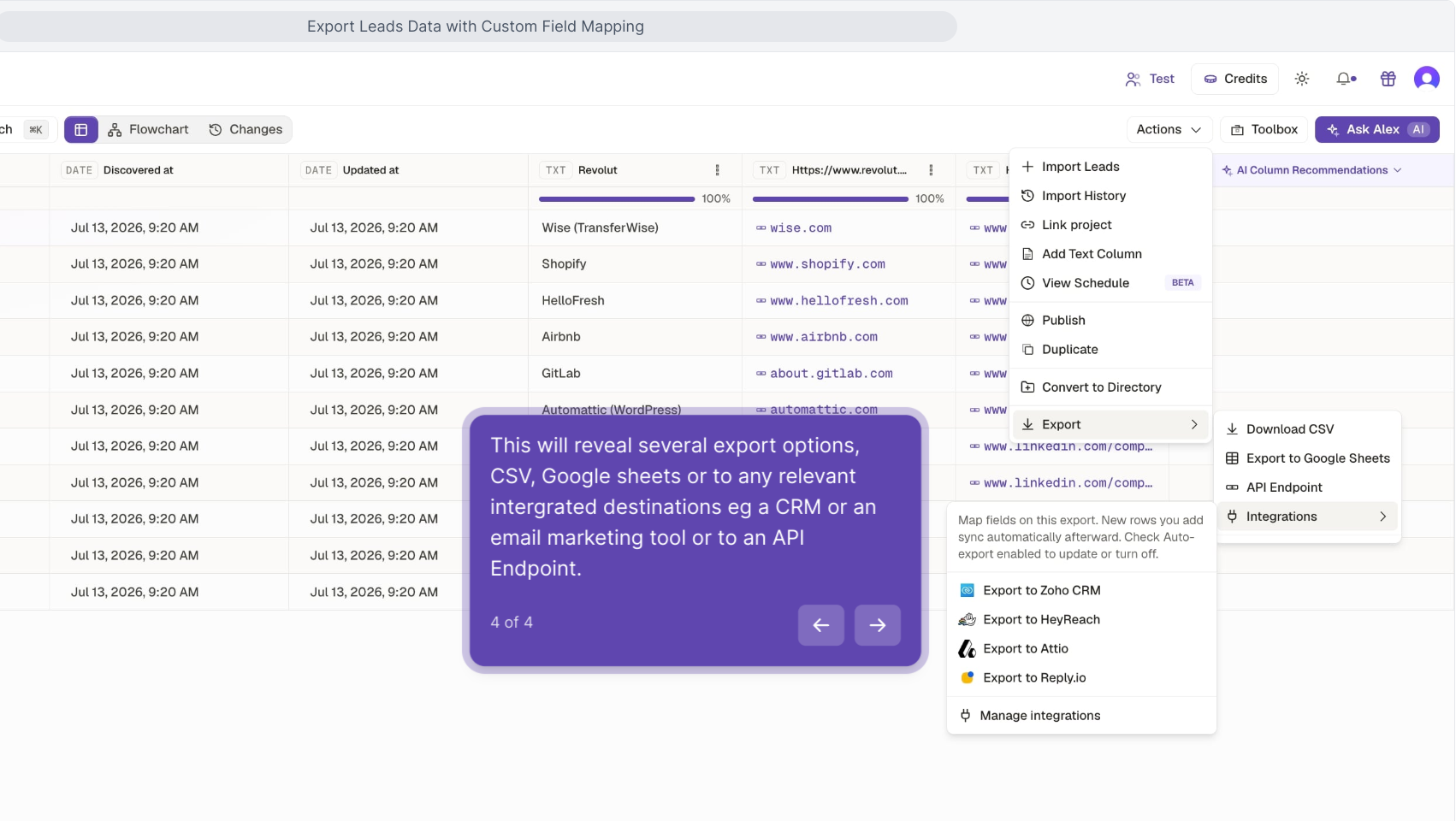
Select Google Sheets
Choose Google Sheets as your export format.
Authorize (first time)
If this is your first time, grant Kuration permission to create Google Sheets on your behalf.
Export
A new Google Sheet is created with your data, including column headers and formatting.
With filters active, only visible rows are exported. This lets you create targeted exports — for example, a Google Sheet with only companies in a specific region or above a certain lead score.
The exported Google Sheet includes a link back to your Kuration project, so you can easily return to enrich or update the data later.
Related articles
Export your data
Export your enriched prospect list as CSV, push to Google Sheets, or sync to your CRM. Multiple export formats available.
Connect Kuration AI to HubSpot
Push enriched company and contact data from Kuration AI directly to HubSpot. Create or update CRM records automatically.
Set up webhook integrations
Configure webhooks to push enriched data from Kuration AI to any external tool, CRM, or custom endpoint automatically.