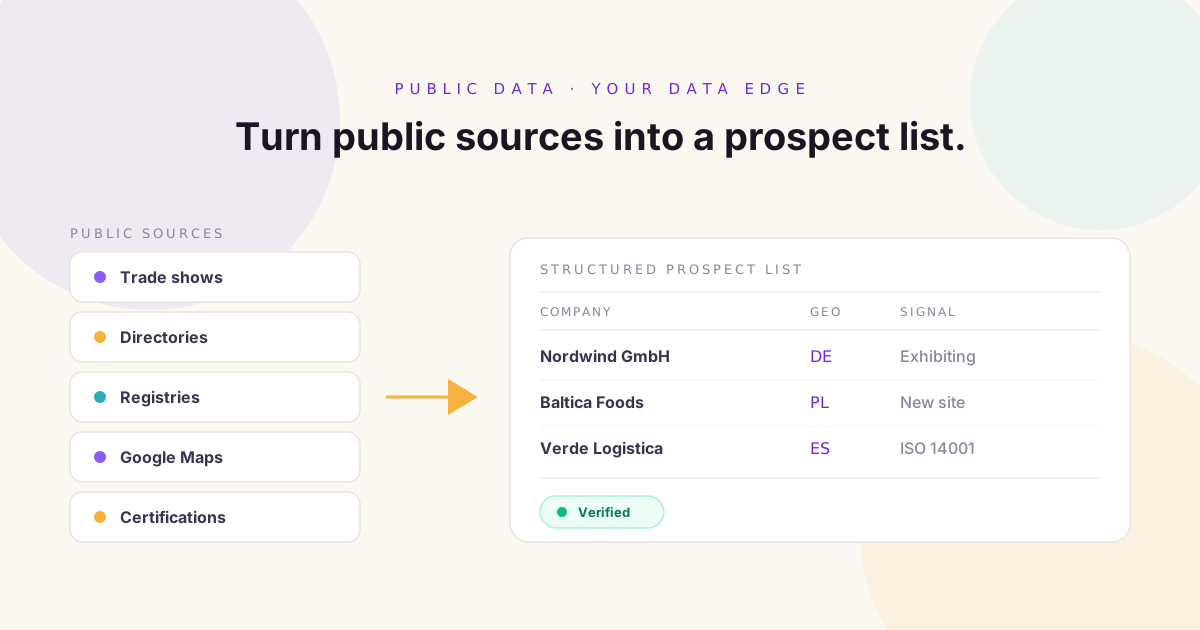
A good B2B prospect list does not start with 10,000 companies. It starts with the right 10 companies. That distinction matters more than almost anything else in prospecting.
For years, sales teams have been taught to build a prospect list the same way. Open a database. Select a few filters. Export thousands of contacts. Start outreach. It works, until it does not.
The problem is that most sales teams are working from the same databases, the same filters, and the same underlying company information. If five competitors all search for SaaS companies in the UK with 50 to 500 employees, they will discover a lot of the same businesses. Then everyone emails the same prospects.
There is another source of B2B data sitting in plain sight: the public web. Company websites. Trade show exhibitor lists. Government registries. Industry directories. Certification databases. Google Maps. Supplier directories. Procurement portals.
The information is already out there. The challenge is turning it into a prospect database your sales team can actually use.
What Is Public Data in B2B Prospecting?
Public data is business information that is openly available through websites, directories, public records, industry organizations, events, and other accessible sources. Depending on your market, that can include:
- Company names and websites
- Business locations and office footprints
- Industries, products and services
- Trade show participation
- Certifications and registrations
- Public announcements
- Distributor relationships
- Business registrations
- Hiring activity
- Contact information companies publish themselves
The important thing is that public does not mean useless. In many industries, niche public sources contain information that is genuinely difficult to find inside a conventional sales database.
Why Build a Prospect List From Public Data?
There are three reasons worth taking seriously.
1. You Find Companies Your Competitors Are Not Targeting
A standard database might contain millions of companies. That is useful. But it does not necessarily contain every business that matters to your specific ICP. A specialized industry directory might contain a much more relevant set of businesses. A trade show exhibitor list might reveal companies actively investing in a particular market. A certification database might identify businesses meeting a very specific requirement.
2. You Build Lists Around Your Actual ICP
Traditional filters focus on broad characteristics: industry, country, employees, revenue. Your ICP may be far more specific. Perhaps you want European food manufacturers with multiple production facilities, international distribution, and a particular certification. That is not a company size search. It is a data discovery problem, and public sources are where you solve it.
3. You Discover Business Context
A company record tells you who a business is. Public data can tell you what it is doing: exhibiting at an event, opening a facility, expanding into a new country, obtaining a certification, launching a product, building a distribution network. That context is what makes a prospect interesting.
The Eight Best Public Data Sources for B2B Prospecting
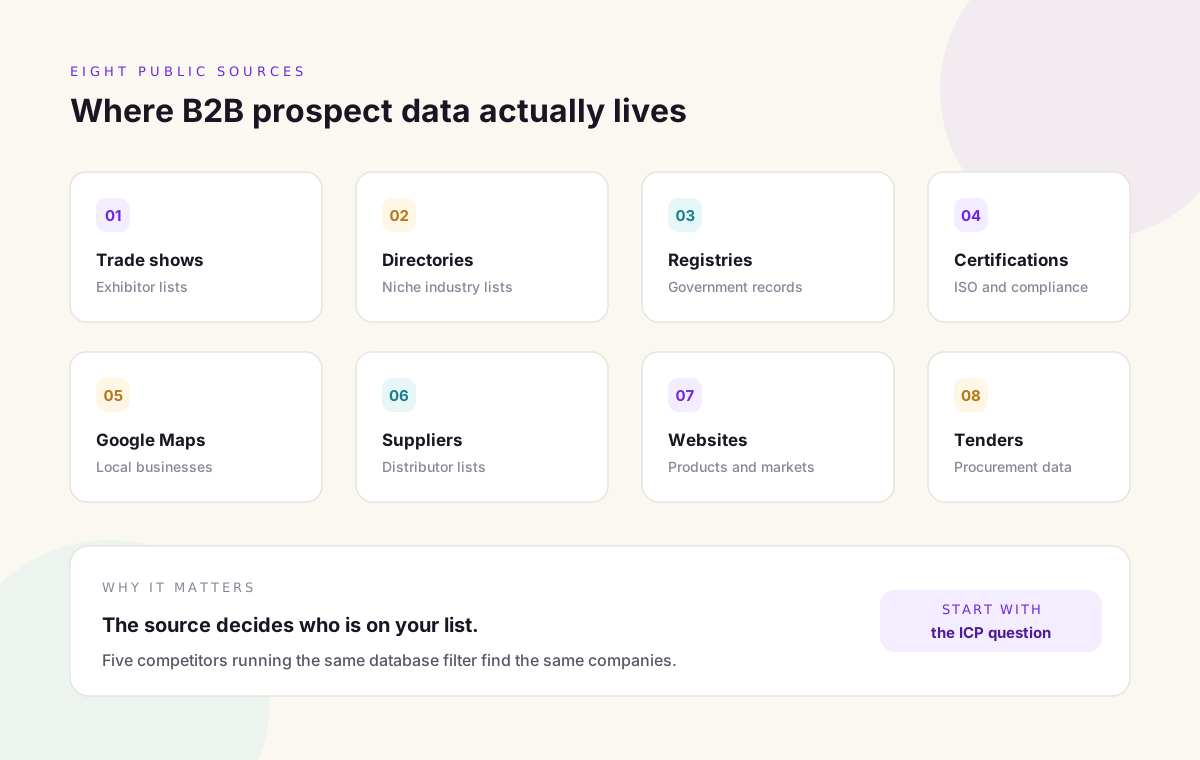
There is no universal best source. The right one depends on your ICP. These eight categories are where most useful B2B prospect data lives.
1. Trade Show Exhibitor Lists
Trade shows are an underrated prospecting source. An exhibitor list contains companies that have already demonstrated interest in a specific industry or market, and the event itself supplies the context. Instead of knowing only that a company is a manufacturer, you know it is a manufacturer actively exhibiting at an industry event. You can extract company name, website, country, booth information, industry and event participation, then enrich from there.
2. Industry Directories
Directories are extremely valuable for niche prospecting: manufacturers, distributors, contractors, healthcare providers, suppliers, logistics companies, financial institutions, professional services, hospitality. The advantage is specialization. A general database tells you a company exists. An industry directory tells you exactly what it does.
3. Government and Public Registries
Government databases can provide company registrations, business licenses, procurement information, corporate records, certifications and facility information. For certain markets these sources surface companies that receive very little attention in commercial databases.
4. Certification Databases
Certifications are powerful prospecting filters. If your ICP requires ISO certifications, environmental certifications, industry compliance, safety certifications or export credentials, you can start with businesses that already meet the requirement instead of searching an entire industry. That narrows the pool dramatically.
5. Google Maps and Local Business Data
For location based prospecting, Google Maps is surprisingly useful. Hotels, restaurants, clinics, warehouses, manufacturers, construction companies, distributors and retailers are often easier to find on a map than in a sales database. The raw data is not the final product. It is the starting point.
6. Supplier and Distributor Directories
If you sell into a supply chain, directories reveal who participates in that ecosystem: manufacturers, wholesalers, importers, exporters, distributors, resellers and suppliers. This matters when your ICP is defined by position in a supply chain rather than by industry.
7. Company Websites
Do not underestimate the source you already visit every day. A company website reveals products, industries served, locations, certifications, partners, customers, new markets, management, contact details, hiring and expansion announcements. The information is unstructured, which is what makes it hard to process manually and valuable once you can.
8. Procurement and Tender Data
Public tenders and procurement platforms reveal companies participating in specific markets: active suppliers, contractors, service providers, government vendors and infrastructure companies. This is particularly useful when procurement activity is closely tied to your target market.
Do Not Collect Data Just Because You Can
This is where prospecting goes off the rails. Finding 100,000 companies does not mean you built a good database. Before collecting anything, ask:
- Who is our ICP?
- What makes a company a good fit?
- What information proves that fit?
- Which sources contain that information?
- Which signals indicate a company may be relevant now?
Those questions should determine your data collection strategy, not the other way around.
Start With Your ICP, Then Go Deeper
Say your target customer is European manufacturers with 100 to 1,000 employees that sell internationally. That is a reasonable start. But your strongest customers probably share more than that. They may have multiple locations, international distributors, particular certifications, high value products, a dedicated sales team, or recent expansion.
Now your criteria are precise. Instead of collecting manufacturers, you are looking for manufacturers that resemble your best customers. That is the difference between building a list and building a prospect database.
Turn Raw Public Data Into Structured Data
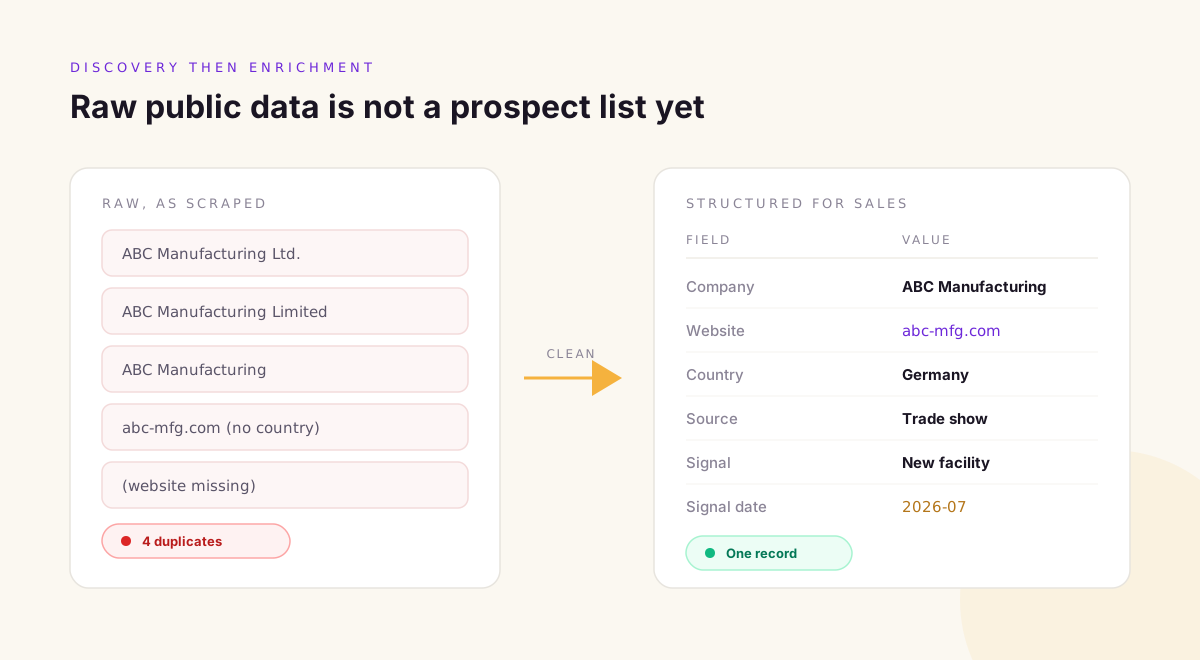
Public data rarely arrives in a clean spreadsheet. You will find ABC Manufacturing Ltd. on one site, ABC Manufacturing Limited on another, and ABC Manufacturing somewhere else. You will also find different addresses, missing websites, multiple locations, duplicate listings and inconsistent categories.
Before any of it is useful for sales, it has to be cleaned and structured. Useful fields include:
- Company name and website
- Country and city
- Industry and company type
- Employee range
- Relevant category
- Source
- Signal and signal date
- Contact and job title
Enrichment Comes After Discovery
This distinction is important. Discovery answers which companies you should consider. Enrichment answers what you know about those companies. Starting with contact enrichment is backwards. Find the right companies first, then enrich them. It stops your team spending money finding contacts at companies that were never good prospects.
Add Business Signals
Now take the list one step further and ask what has changed recently. A new location, a new product, new funding, new hiring, a new partnership, a new certification, a new trade show, a new market entry.
Two companies may have identical firmographic profiles. If one recently expanded into your target market, it deserves attention first. That is what signals are for.
How AI Changes Public Data Prospecting
Manually searching one website at a time does not scale. AI assisted workflows help teams find relevant companies, extract information, classify businesses, structure unorganized data, match companies against an ICP, enrich records, detect duplicates and prioritize prospects.
The biggest benefit is not speed. It is the ability to turn unstructured information into something your sales team can work with.
Example: Building a Prospect List From a Trade Show
Imagine you are targeting companies in industrial automation and you find a trade show with 1,500 exhibitors. Instead of researching all 1,500 by hand, you build a process around your ICP:
- Start with the exhibitor list
- Filter for relevant industries
- Identify companies in your target countries
- Enrich company information
- Find the relevant decision makers
- Add business signals
- Score the accounts
- Send the highest priority companies to sales
Suddenly an event website becomes a prospecting source. That is the mindset shift.
How to Avoid Building Another Generic Database
Your goal is not to collect every company you can find. It is to build the dataset your sales team actually needs. That might be companies exhibiting at a specific event, certified manufacturers, new distributors, companies entering a particular market, businesses in a niche industry, or companies opening new facilities.
The more specific the business question, the more valuable the resulting dataset becomes.
Why Custom Prospecting Creates an Advantage
If your competitors use the same standard databases, you will compete for the same accounts. Custom prospecting gives you another option: build data around your ICP rather than around whatever filters happen to exist inside a generic platform. Combine trade show data with certification data, company websites and business signals, and you have something far more specific than a standard company list.
Where Kuration AI Fits
Kuration AI helps teams build custom prospect databases around the information that actually matters to their business. Instead of forcing every campaign through the same generic filters, teams discover companies from trade shows, government databases, industry directories, certifications, Google Maps, supplier lists, company websites and other specialized public sources, then enrich and structure the results into a usable prospecting dataset.
If you want to go deeper on individual sources, our guides on building a custom prospect database, building a prospect database from government registries, finding trade show exhibitors before your competitors, and extracting businesses from Google Maps each cover one of these paths in detail.
Frequently Asked Questions
Is public data useful for B2B lead generation?
Yes. Public sources can contain highly relevant company information, particularly for niche industries and specialized prospecting campaigns where standard database filters do not reach.
What is the best public source for B2B prospecting?
There is no single best source. It depends on your ICP. Trade shows, directories, registries, certifications, company websites and procurement data can all be valuable depending on who you sell to.
Can I build a B2B prospect list without a traditional sales database?
Yes. You can discover companies from public and specialized sources, then enrich and organize the information into your own prospect database.
Is public data better than commercial B2B data?
Neither is universally better. Commercial databases are useful for enrichment and contact discovery. Public and specialized sources help uncover companies and signals that standard filters miss. Most strong prospecting programs use both.
How can AI help build a prospect list?
AI can discover, extract, classify, enrich, organize and prioritize business information across many sources at once, which is what makes unstructured public data practical to use.
Build the List Around the Opportunity
The best prospect lists are not the biggest. They are the ones where every company has a reason for being there. Maybe they are exhibiting at the right event. Maybe they hold the right certification. Maybe they are expanding into your market. Maybe they are opening a new facility.
The source matters less than the strategy behind it. Start with the business question. Find the data that answers it. Then turn that data into a prospecting workflow. That is how public data becomes a sales advantage.