We build an AI data product, so you would expect us to tell you that AI should touch everything. It should not. There is a line running through prospect data, and the teams who get good results are the ones who know where it sits.
On one side is work where being roughly right at enormous scale is genuinely useful. On the other is work where being wrong once costs you a real relationship with a real person. AI belongs on the first side. It needs a check on the second.
This article draws that line as precisely as we can, using the failure modes we see most often in live workspaces.
The one property that decides everything
Before any rule about tools, there is a single question that sorts prospect work into the two halves. Ask it about any field on your table.
If this value is wrong, does anything downstream catch it?
Some errors are self correcting. If AI guesses an industry wrongly, your filter drops the row and you never email anyone. The cost is a wasted credit. Some errors are not caught by anything. If AI invents a job title, it flows into a merge field, out through a sequence, and lands in the inbox of somebody who is now slightly insulted and definitely not replying.
The first kind is safe to automate completely. The second needs verification before it reaches a person. That is the whole framework, and everything below is an application of it.
Where AI is genuinely better than you
It is worth being specific about this, because the sceptical version of this article would be just as wrong as the credulous one.
Reading things nobody has time to read
A conference publishes four hundred exhibitor profiles. A procurement portal lists two thousand tenders. A careers page carries sixty open roles across nine offices. No human is reading all of that, which in practice means the data does not get used at all.
This is the clearest win available. The alternative is not a careful human doing it properly. The alternative is nobody doing it.
Turning prose into columns
Most public information about companies is written for humans. A job advert says the team is growing across EMEA. A press release says they opened a second facility. Converting that into a field you can filter on is exactly what language models are for, and they are reliably good at it.
Judgement calls at a scale where consistency matters
Asking whether a company sells to businesses or consumers is a judgement call. A person makes it well, then makes it slightly differently after lunch, then a colleague makes it differently again. An AI column applies the same rule to row nine thousand as it applied to row one.
Consistency is underrated here. A scoring model built on inconsistent inputs is not a model, it is noise with a number attached.
Where AI quietly fails you
These are the failures we see in real workspaces, roughly in order of how much damage they do.
It will not tell you it does not know
This is the important one. A search API that finds nothing returns nothing. A language model asked the same question returns a plausible answer, in the right format, with no flag on it. The row looks identical to a correct one.
You cannot spot this by reading the table, because the wrong values look exactly like the right ones. You can only catch it structurally, by checking a sample against the source or by requiring a citation.
It is confident about people
Company facts are usually published somewhere. Facts about individuals are messier, change more often, and are the ones that reach an inbox with a name on them.
A job title from eighteen months ago is worse than no job title, because you will use it. This is the field where we would tell you to verify every time, whatever tool you used to get it.
It flattens the thing you were looking for
Ask for a summary of what a company does and you get a clean sentence that could describe four hundred companies. The specific detail you would have opened with, the one that made them worth contacting, gets smoothed away in the summarising.
If your enrichment column produces copy that would read identically for every row, the column is not earning its cost.
It cannot tell stale from current
The web does not date itself reliably. A cached page, an old press release and an abandoned careers site all read as present tense. A model reading them has no strong way to know which is live, so a company that stopped hiring in March can still look like it is hiring now.
The verification layer, in order of value
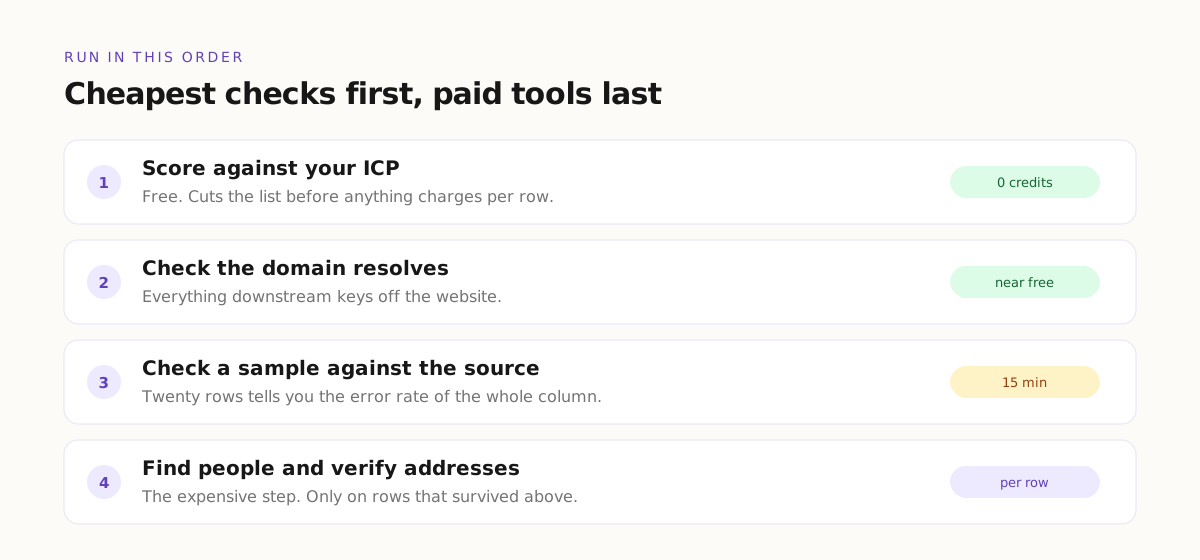
You do not need to check everything. You need to check the fields where an error escapes into the world. In practice that is a short list, and it is worth running in this order.
Check the domain before anything else
Everything keys off the website. If the domain is parked, dead, or simply the wrong company with a similar name, every field you buy after it is wasted. This check is cheap and it should run first on every list, every time.
Check the mail server before the address
A verified email means the address passed a check. It does not always mean the domain can receive mail at all. Checking that the domain has a working mail exchanger catches a class of dead rows that email verification alone lets through.
Check a sample against the source
Take twenty rows from any AI research column and open the source for each one yourself. Twenty rows is around fifteen minutes and it tells you the error rate of the entire column.
If nineteen are right, run the column on the full list. If fifteen are right, your prompt is too vague or the source is too thin, and running it on four thousand rows will simply produce four thousand rows at that same accuracy.
Require the citation, then spot check it
A research column that returns a claim and the page it came from is a different thing from one that returns a claim alone. The citation does not guarantee accuracy, but it makes checking possible, and it gives the model something harder to satisfy than a plausible sentence.
Cheap checks first, always
The order above is not arbitrary. It is cheapest first, and that ordering is the single largest lever on what a list costs you.
Scoring a list against your ideal customer profile is free. Filtering on a value you already have is free. Checking whether a domain resolves is close to free. Finding a person and verifying their email is where the money goes.
Run the free checks first and the paid tools only on the rows that survive. A team that enriches four thousand rows and then filters down to four hundred has paid ten times what a team that filtered first would pay for the same four hundred rows.
A working split
Here is the division we would actually recommend, stated plainly.
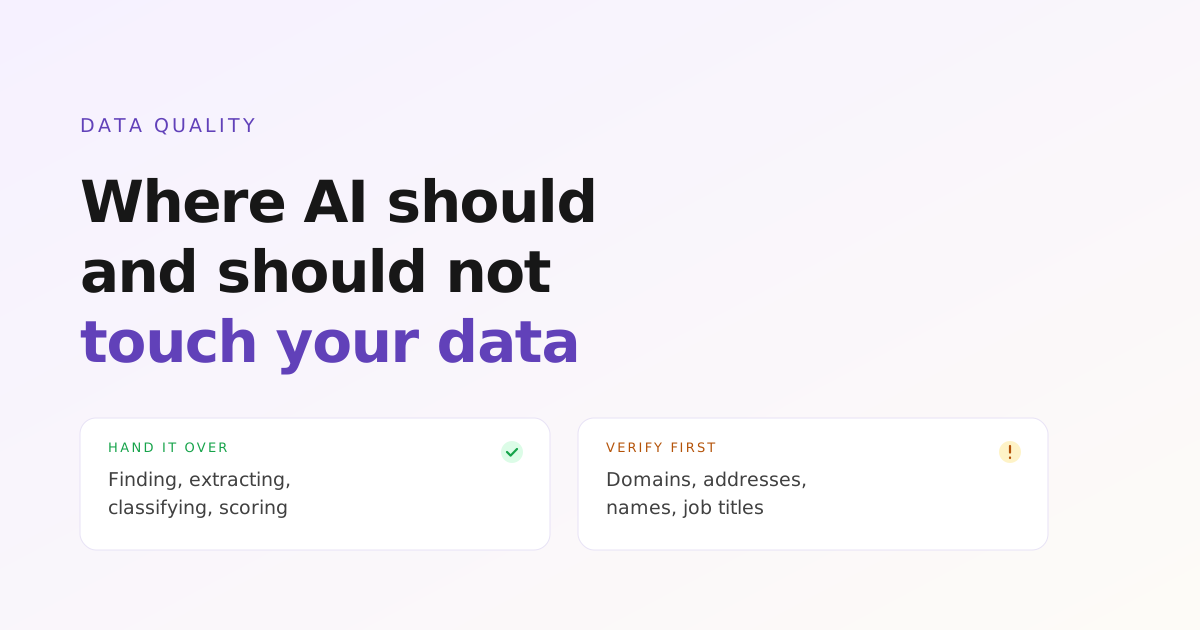
Hand to AI without hesitation: finding companies, extracting them from any published source, classifying and categorising them, summarising what they do, spotting a signal in prose, and scoring the result against your criteria.
Verify before it reaches a person: the domain, the mail server, the email address, the name, the job title, and any specific claim you plan to quote back at somebody in a first line.
Keep for yourself: deciding what a good customer looks like, deciding what the signal means for your offer, and deciding what you actually say. Those are not data problems and no amount of enrichment answers them.
The test that settles an argument about a column
When a team is unsure whether an enrichment column is worth keeping, there is a quick way to find out. Write the email twice. Once with the column, once without it.
If the two versions read the same, the column is decoration and you are paying for it. If the version with the column says something specific that you could not have said otherwise, that column is the reason the campaign works.
This test cuts more enrichment spend than any negotiation with a vendor, and it takes about five minutes.
What good looks like six months in
Teams who get this right end up somewhere specific. Their lists are smaller than they were. Their spend per list is lower. Their reply rate is higher, because the rows that survive are rows where somebody can say something true and particular.
They are not doing less with AI. They are doing more of the reading and the sorting with it, and less of the deciding.
Frequently Asked Questions
Can AI replace a data provider entirely?
For finding and classifying companies, largely yes, and with better coverage of markets no database indexes properly. For contact details it is a different job, because an address either works or it does not, and that is a check rather than a guess. Most working setups use research for the company layer and verification for the contact layer.
How much of an AI built list should I check?
Twenty rows per research column, opened against their sources, before you run that column on the full list. That sample tells you the error rate, which is the number you actually need. Checking twenty rows properly beats skimming four hundred.
Why did my enrichment invent something that does not exist?
Almost always because the question had no answer in the source and nothing told the model that returning nothing was acceptable. Ask for a citation, and give the column an explicit instruction that not found is a valid result. Both changes reduce invention sharply.
Is it safe to send from an AI generated list without checking?
Company level fields, generally yes, because a mistake gets filtered rather than sent. Person level fields, no. A wrong name or a stale title goes out in a merge field and lands with somebody who notices. Verify anything that appears in the message itself.
Does verification defeat the point of automating?
No, because verification is itself automatic. Domain checks, mail server checks and email validation are columns that run on every row without you watching. The manual part is the twenty row sample, which is fifteen minutes once per column, not ongoing work.
Use the machine for reading, keep the judgement
The useful mental model is not that AI is reliable or unreliable. It is that AI is a very fast reader with no instinct for its own ignorance. Give it the reading. Give it the sorting and the classifying and the scoring, where consistency at scale is worth more than any single careful opinion.
Then check the handful of fields that leave your workspace and arrive in front of a person, and keep the decisions about who is worth contacting and what to say. That division is why some teams get compounding value out of this and others end up with four thousand rows nobody trusts.